Expert Guide
Using AI with Intelligems: 5 Use Cases That Are Possible Right Now
Your testing data is more useful than you think, it just needs a better door. Here are 5 things you can do right now by connecting Intelligems to the AI tools you're already using.
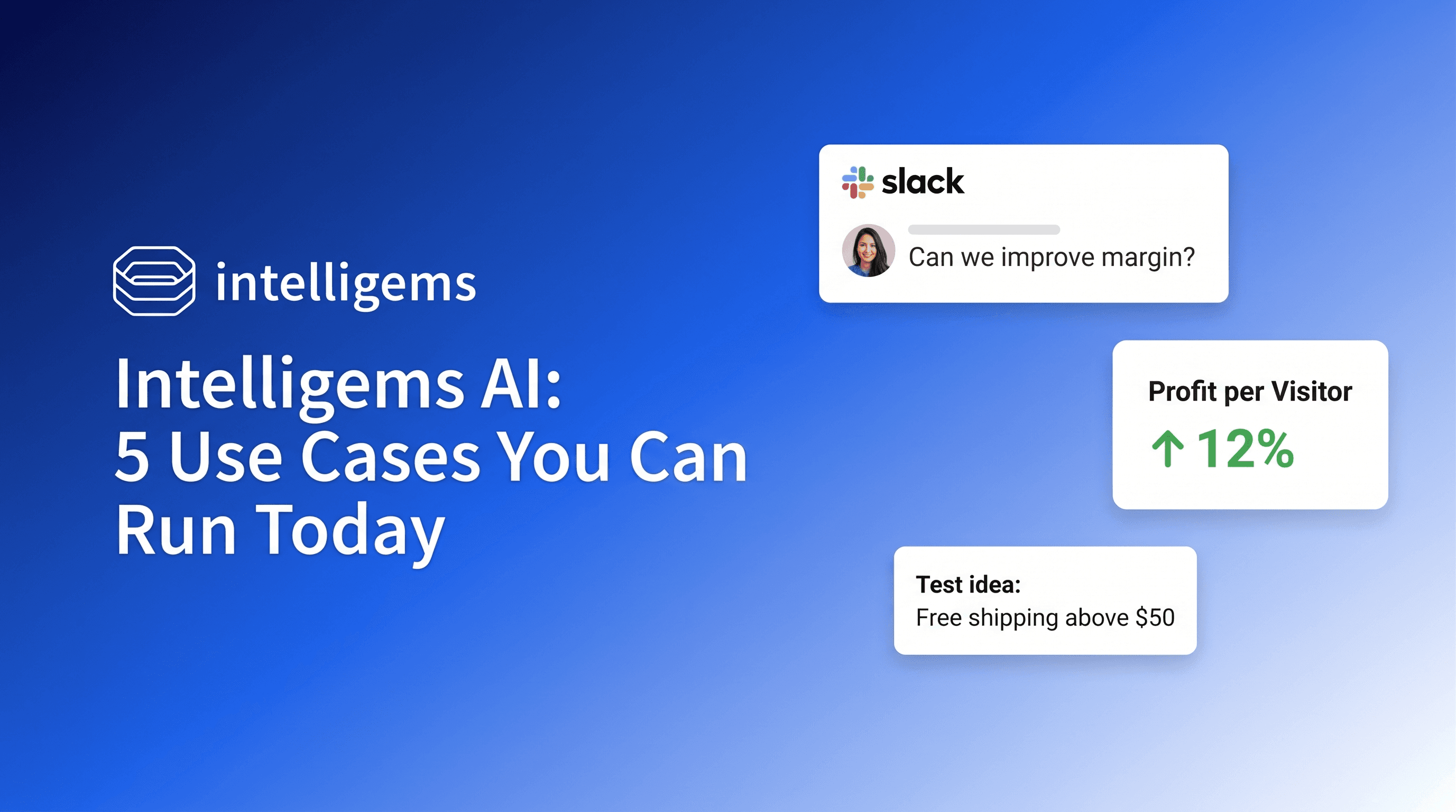
Chances are you started using Intelligems the same way most brands do: run a test, check the results, make a call.
That works. But there's a layer of the product that connects your testing data directly to the AI tools you're already using. For many teams, the gap isn't awareness. It's knowing what's actually possible.
With the recent launch of the Intelligems Slack Bot, the picture is now complete. There's now a solution for several kinds of teams, from the person who lives in Slack to the developer building custom tooling.
Three ways to connect: pick the one that fits you
Slack Bot: for everyone. No technical setup. Add it to a channel and ask questions about your tests in plain language, right where you already work. Best for quick answers and day-to-day check-ins.
MCP (Claude, ChatGPT, Gemini): for practitioners who already use an AI tool in their workflow. Once connected, you can pull Intelligems data into your AI tool of choice, run analysis, cross-reference other data sources, or have agents work in the background. Best for deeper analysis and automation.
API: for developer teams or anyone comfortable with vibe coding. Lets you build custom dashboards, pipe data into your own reporting stack, and power internal tools at scale. Best for agencies managing multiple brands or teams with specific output destinations.
All three access the same underlying data. The difference is where you want the output to live, and how much control you want over the process.
Here are 5 specific things you can do today.
1. Surface your profit gaps before you pick your next test
It's easy to pick your next test based on intuition, a gut feeling about what's underperforming. With the Intelligems MCP connected to Claude or ChatGPT, you can flip that... let your data point to where the gaps actually are before you decide what to test.
Intelligems' sitewide analytics gives you visibility across your entire store, not just where tests are running. Performance, audience behavior, orders. Connect the MCP on top of that, and you can pull a profit-per-visitor breakdown by traffic source, device type, country, or visitor type without leaving your AI tool. The signal is already in your data. This just makes it visible.
Say you recently raised your flat shipping rate. Conversion held, but you're not sure if profit per visitor moved the same way across channels. Connect the MCP and ask how PPV shifted for Paid Social vs. Email vs. Direct. Claude pulls your per-channel breakdown, ranks them by lift, and you walk away knowing exactly where that margin went, and which segment is worth testing next.
You don't need a new analyst for that. You need a doorway to your own data.
2. Put your full test history and every stakeholder read one message away
You finished a test. You want context. Was that result good? How does it compare to the same period last year, same product category, similar traffic volume?
Set up the Intelligems Slack bot and that context is always one message away, without logging into anything or pulling from multiple sources.
"How did the shipping threshold test on [collection] compare to the same period last year?"
The bot has access to your full performance data. It can build a chart, run a comparison, or give you a plain-language summary on demand. Unlike a dashboard, it comes to you.
And the same connection works across every room in the building. Your results mean different things depending on who's asking. The CFO wants profit per visitor, payback period, and cash impact. The CMO wants conversion lift, segment behavior, and what it means for channels. The logistics lead wants order volume, SKU mix, and fulfillment burden.
With the MCP or Slack bot connected, you can run the same results through three different lenses in one session. No re-pull. No reformatting. Just a prompt that tells the AI which frame to apply:
"Read this test as a CFO. Lead with profit per visitor, payback period, and cash impact."
"Read this test as a CMO. Lead with conversion lift, segment behavior, and channel implications."
"Read this test as a logistics lead. Lead with order volume, SKU mix, and fulfillment burden."
Three prompts. Three reports. This is one of the fastest ways to close the gap between "we have results" and "we've communicated them to everyone who needs to act on them."
3. Find where your conversion funnel is leaking
Most teams know their overall conversion rate. Fewer know where in the funnel they're actually losing people.
The Intelligems Slack bot can pull your full conversion funnel from Sitewide Analytics in one message — View Collection Rate, View Product Rate, Add to Cart, Checkout Begin, Conversion Rate, Bounce Rate, Abandoned Cart, Abandoned Checkout — with period-over-period comparisons included.
"Where is my conversion funnel weak?"
You get a structured breakdown of every stage, what's trending up or down, and where the biggest volume leaks are. Not a dashboard you have to interpret. An answer.
Say your Bounce Rate is up 9% and your Add to Cart rate is flat. That's not a checkout problem — that's a product page problem. The funnel data tells you where to focus before you spend time designing a test for the wrong stage.
The data lives in Sitewide Analytics. The bot just makes it conversational.
Alex and Adam on what agentic commerce actually means for DTC brands right now.
4. Automate your test monitoring so you stop checking
Every test carries a quiet maintenance cost most brands don't account for: checking. Logging in. Refreshing. Wondering if there's enough data yet. Multiply that across three concurrent tests and it starts eating real time.
Intelligems has built-in alerting you can turn on in the app — significance threshold, anomaly detection, a variant pulling away — and route the notification to Slack. Set it when you launch the test and let it come to you.
Say you're running a shipping threshold test and a price test at the same time. You're in back-to-back calls. Instead of carving out time to check both, you get a Slack message when one of them hits something worth acting on. The test kept running. You didn't have to babysit it.
For teams that want custom alerting logic, the API + n8n lets you build it: notify a specific channel, trigger a workflow, or fire an alert based on conditions the built-in alerts don't cover. Intelligems has a step-by-step guide for this.
One example worth building: a weekly readout triggered by how many days the test has been running. At day 7, a workflow fires and the bot pulls current results, framed as a preliminary readout, not a decision point. Here's where the test stands. Here's the early signal. No action required yet. Same at day 14. Same at day 21.
Stakeholders stay informed on a cadence. No one's peeking. No one's making early calls. The test runs its course.
Either way: you're not babysitting tests, you're responding to results.
5. Pipe your testing data into wherever your team lives
If your team runs reporting in Data Studio, Notion, BigQuery, Snowflake, S3, or a custom stack, the Intelligems API lets you pull profit per visitor data, variant performance, and test results into wherever you already work, automatically, without manual exports.
"Pipe our Intelligems results into the weekly growth report automatically."
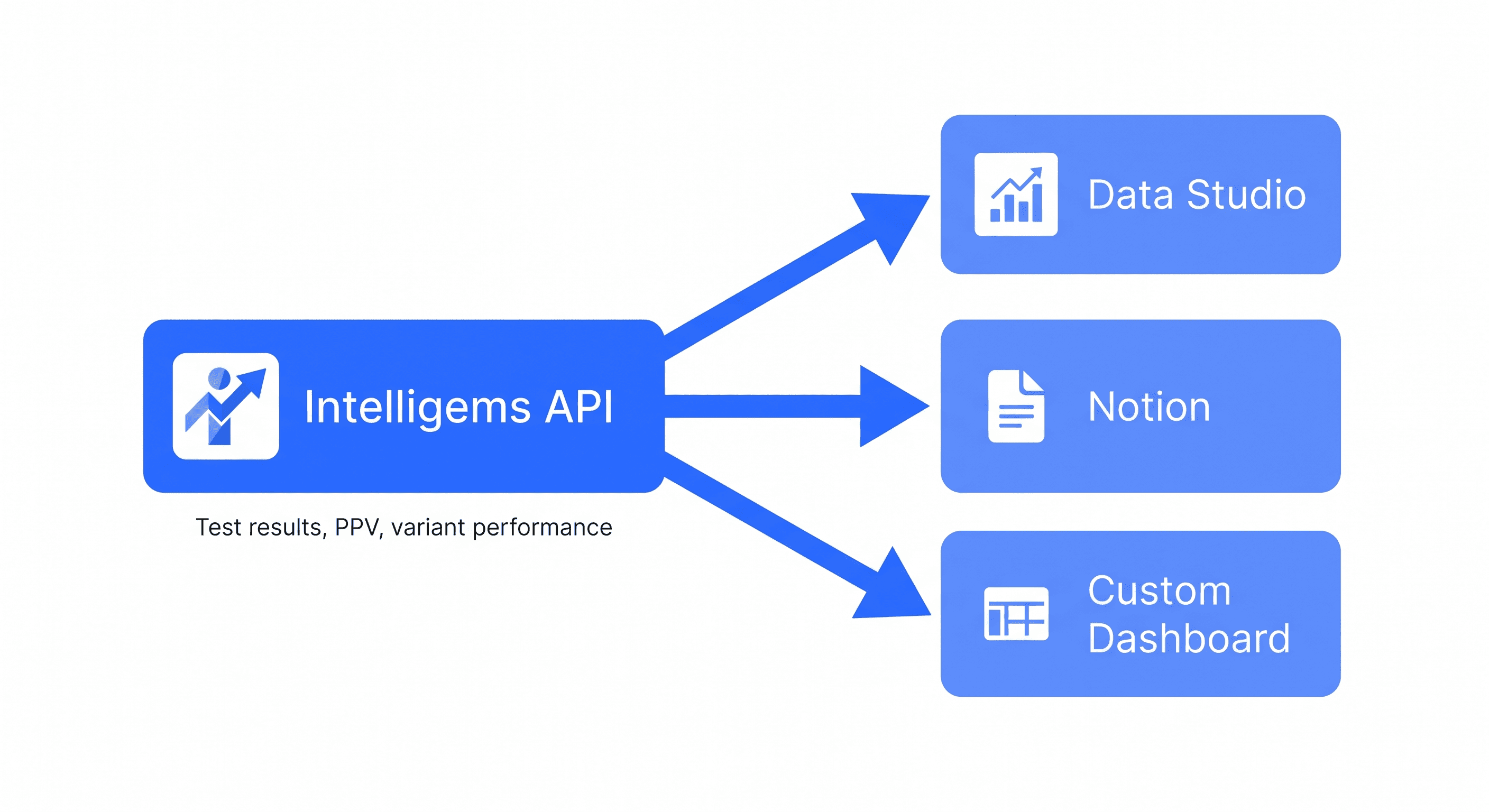
For agencies managing multiple brands, this can go further. Instead of logging into separate accounts, you can build a single multi-client dashboard that surfaces all active tests, variant performance, and key metrics across your entire book of business. It's one of the most common things agencies build once they have API access... and once it's built, switching platforms means rebuilding everything from scratch.
The API surface is expanding. The more your team relies on custom tooling, the more useful this becomes. Worth a conversation with your account team if you're not sure what's currently accessible.
Pick one and try it this week
None of this requires rebuilding how you test. Pick the tier that fits where you work and try one thing. The Slack bot takes minutes to set up. The MCP takes an afternoon. The API takes a developer and a clear use case.
Start with what asks the least of you. See what it gives back.
Want to see what other brands are actually doing with Intelligems' AI tools and what they're learning? Join GEM Academy: free courses and a community of practitioners sharing what's working.
AB Testing
Product Updates
Analytics