Product Updates
Introducing the Intelligems Slack Bot
Bringing your testing, personalization, and sitewide analytics data into Slack with @Intelligems
You already live in Slack. Starting today, Intelligems data does too.
The Intelligems Slack bot brings your testing, personalization, and sitewide analytics data into Slack.
Ask questions in plain language, get real answers backed by your actual data, and get notified the moment something matters in your tests.
Ask @intelligems anything
Mention @intelligems in your shared Slack channel and get an instant, AI-powered answer backed by your actual Intelligems data.
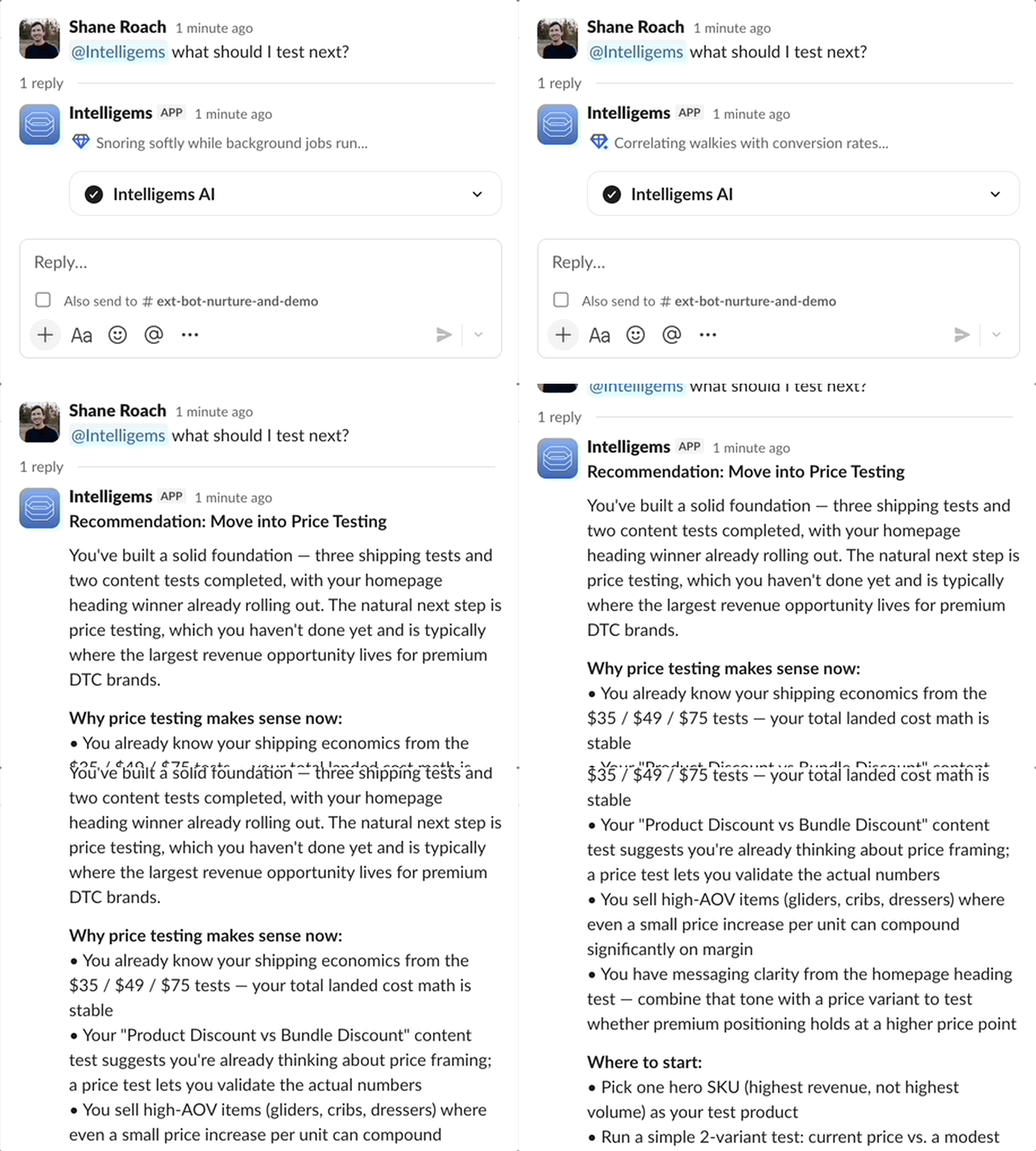
A few things you can ask right now:
"How's my price test doing?"
"Which variant is winning and by how much?"
"What should I test next?"
The bot pulls from your full account including: test results, variant performance, audience breakdowns, personalization, and sitewide analytics data, and surfaces the answer right in Slack.
For agencies, this gets especially useful. Pull results for a client call in 30 seconds. Check which clients across your entire portfolio have tests at stat sig. Ask for a one-paragraph summary of this month's results for any brand. All from a single Slack message, no tab-switching required.
To get agency access, please email support@intelligems.io and we’ll take care of you.
Never miss a moment with alerts
Turn on alerts and @intelligems will notify your team the moment something needs attention.
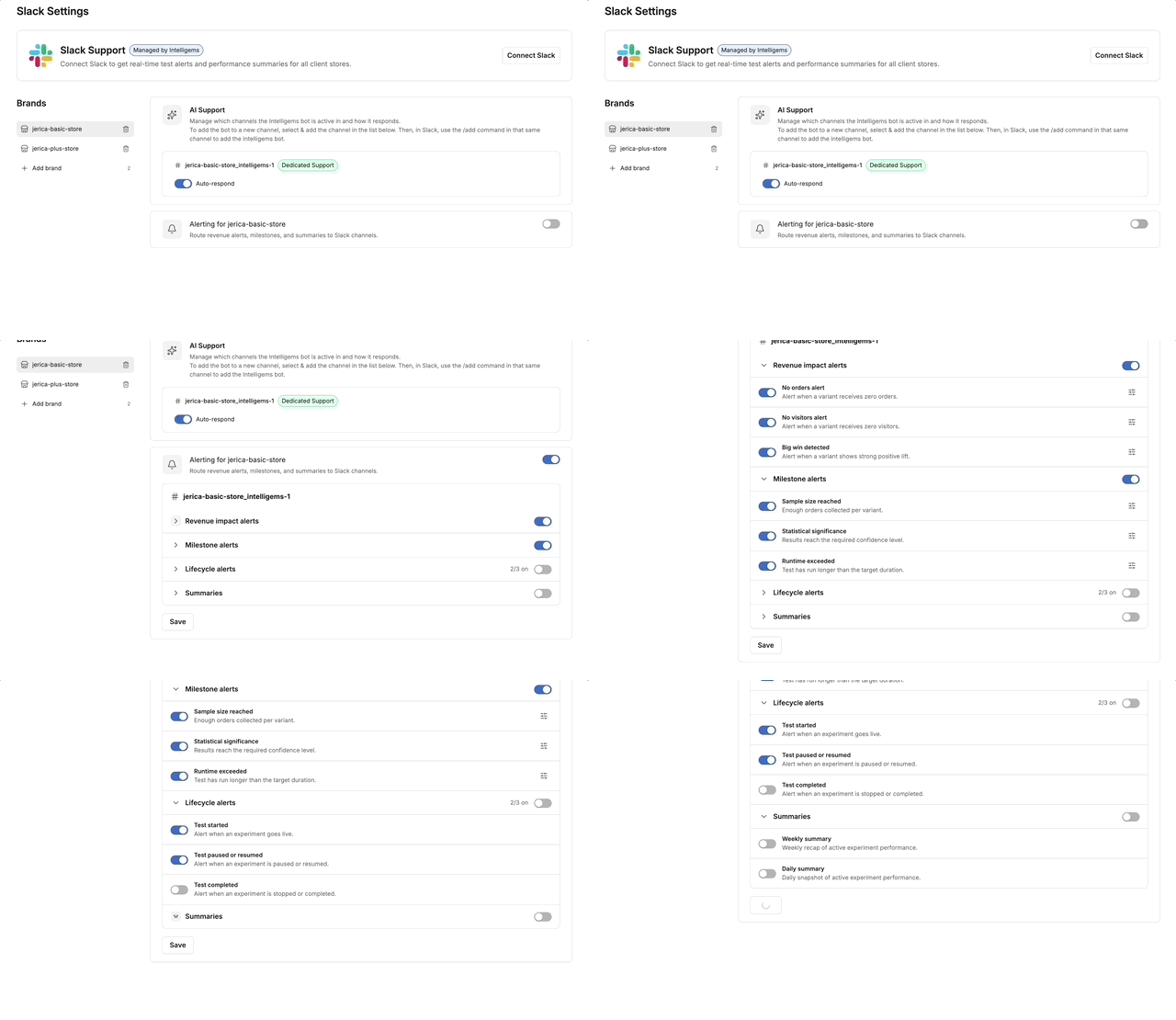
There are a few alert types, and you can toggle each one on or off:
Revenue Impact: If a test stops seeing orders or visitors, you get flagged before it compounds. Catch a broken test right away.
Milestone Alerts: Know when your test has enough data to read, when it hits statistical significance, or when it crosses runtime milestones.
Lifecycle Alerts: Test started, paused, resumed, or stopped. The whole team stays in sync without anyone having to announce it.
Daily and Weekly Summaries: A digest of all running tests for operators who want regular visibility without logging in every day.
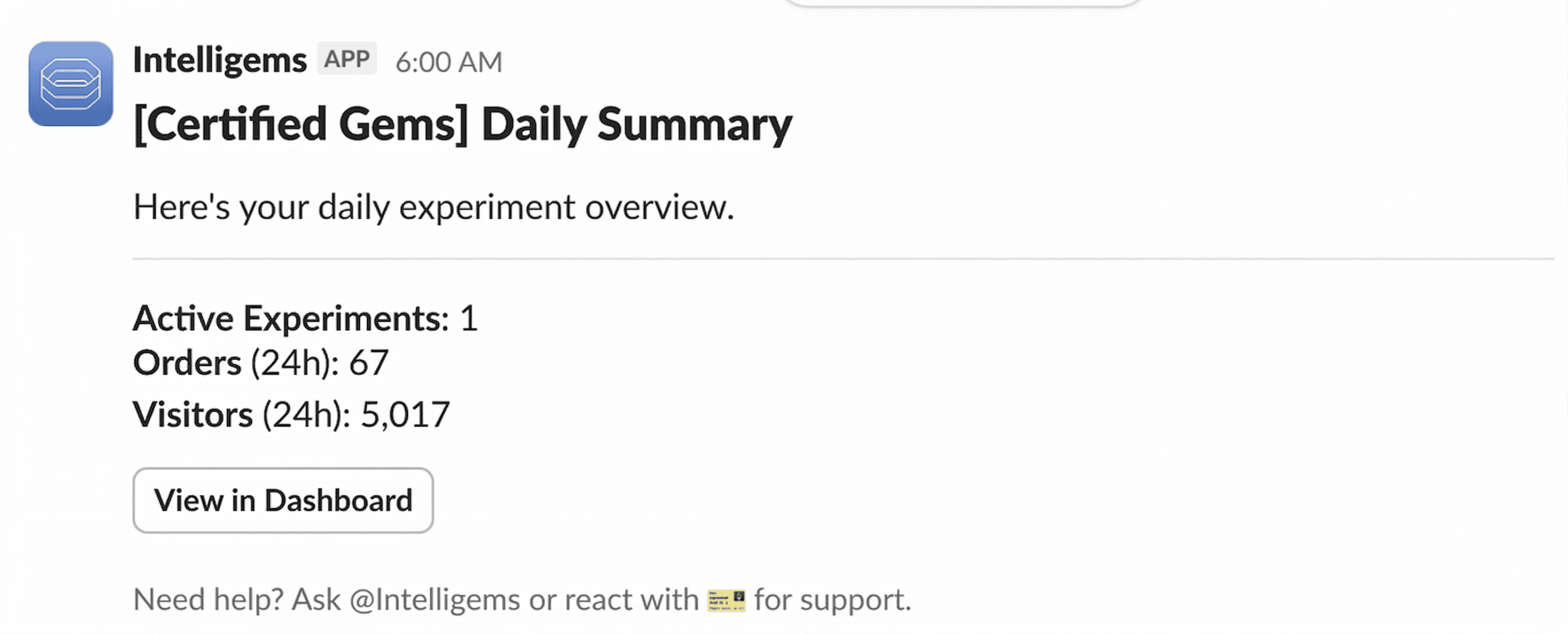
You can route different alert types to different channels. Revenue impact alerts to an internal channel your team monitors closely. Stat sig alerts to a shared wins channel. Weekly summaries in another channel.
Get instant support right in Slack
Mention @intelligems when you have a question and Intelligems AI responds first, pulling from full product documentation and all of your data to answer anything, from setup questions to troubleshooting.
If the AI answer isn't enough, react with 🎫 and a member of our amazing customer support team takes it from there.
Available on every plan, starting today
The @intelligems bot is included in all plans.
To get started:
In Intelligems, on the bottom left navigation, click on Integrations > Slack
Connect your Slack workspace
Configure your alert preferences and AI settings from the Slack Settings inside Intelligems
If you're an agency managing multiple brands, reach out to the team to get your agency-specific channel routing set up.
Configure Your Slack Settings →
Want to dig deeper into how we’re thinking about AI, agentic workflows, and the future of testing? Watch EP 048 of IntelliJAMS on YouTube
Product Updates
Product Updates
Product Updates