Product Updates
11 Product Recommendation Rules for Smarter Upsells
Describe what you want your upsells to show, and Product Recommendation Rules keep up as your catalog changes.

Shailee Shah


BFCM is when upsells earn the most. Shoppers are already in a buying mood, and a recommendation that matches what's in their cart, in stock, and in the right size is an easy add.
Product Recommendation Rules let you describe the recommendation you want in plain language, and Intelligems builds the logic. You don't have to build an IF/THEN rule for every product, then go back and update them every time your catalog changes. One dynamic rule covers new products as you add them.
Start from a template or describe the rule in chat, powered by Atlas, then use it across onsite, checkout, and post-purchase upsells and test it against what you run today.
Here's what we’re seeing brands do today.
1. Close the gap to free shipping.
Works in: Onsite · Checkout
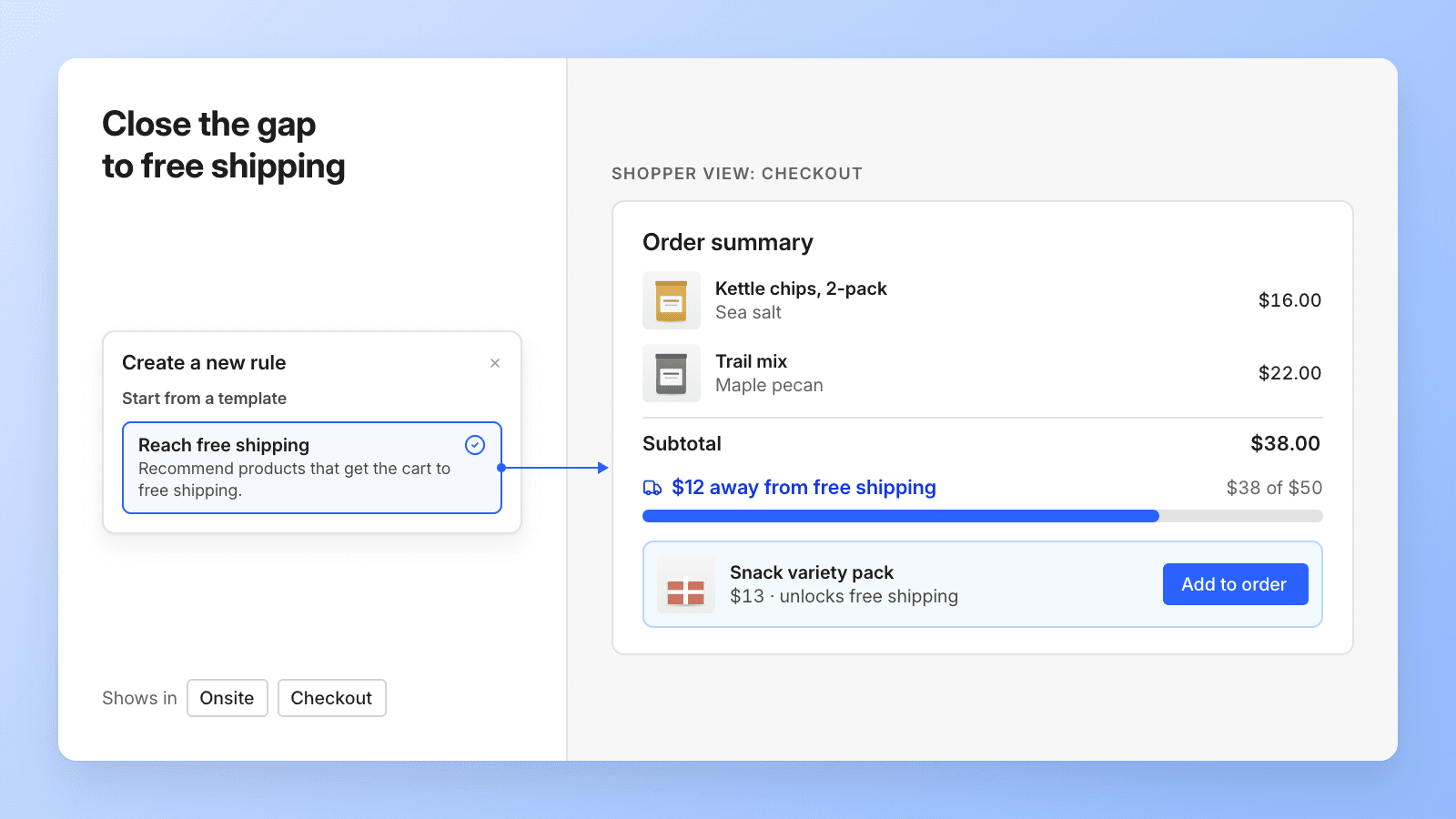
Say a snack brand offers free shipping over $50, and a shopper's cart is at $38. This template recommends the cheapest products that get the cart over the threshold, like a $13 variety pack, and can say how far away the shopper is. It's a natural fit for lower-AOV brands, where one small add-on decides whether an order qualifies.
It reads the threshold each shopper sees, so it stays correct while you run a shipping test.
Try it with the built-in template: Recommend the cheapest product that gets the cart over free shipping, skip anything already in the cart, and order by best sellers.
2. Keep clearance items out of your upsells.
Works in: Onsite · Checkout · Post-purchase

During BFCM, a lot of your catalog is already discounted. An upsell that pushes a clearance item adds a sale at a thin margin.
Say an outdoor gear brand runs 30% off last season's jackets. A rule can keep anything in the Clearance collection or tagged Final Sale out of the upsell, so the slot only shows full-price products like base layers and gloves.
Copy this prompt:
Never recommend products from the [Clearance] collection or tagged [Final Sale]. Show best sellers first, and never show products already in the cart.
3. Put your hero products first on your Onsite Upsells
Works in: Onsite · Checkout · Post-purchase
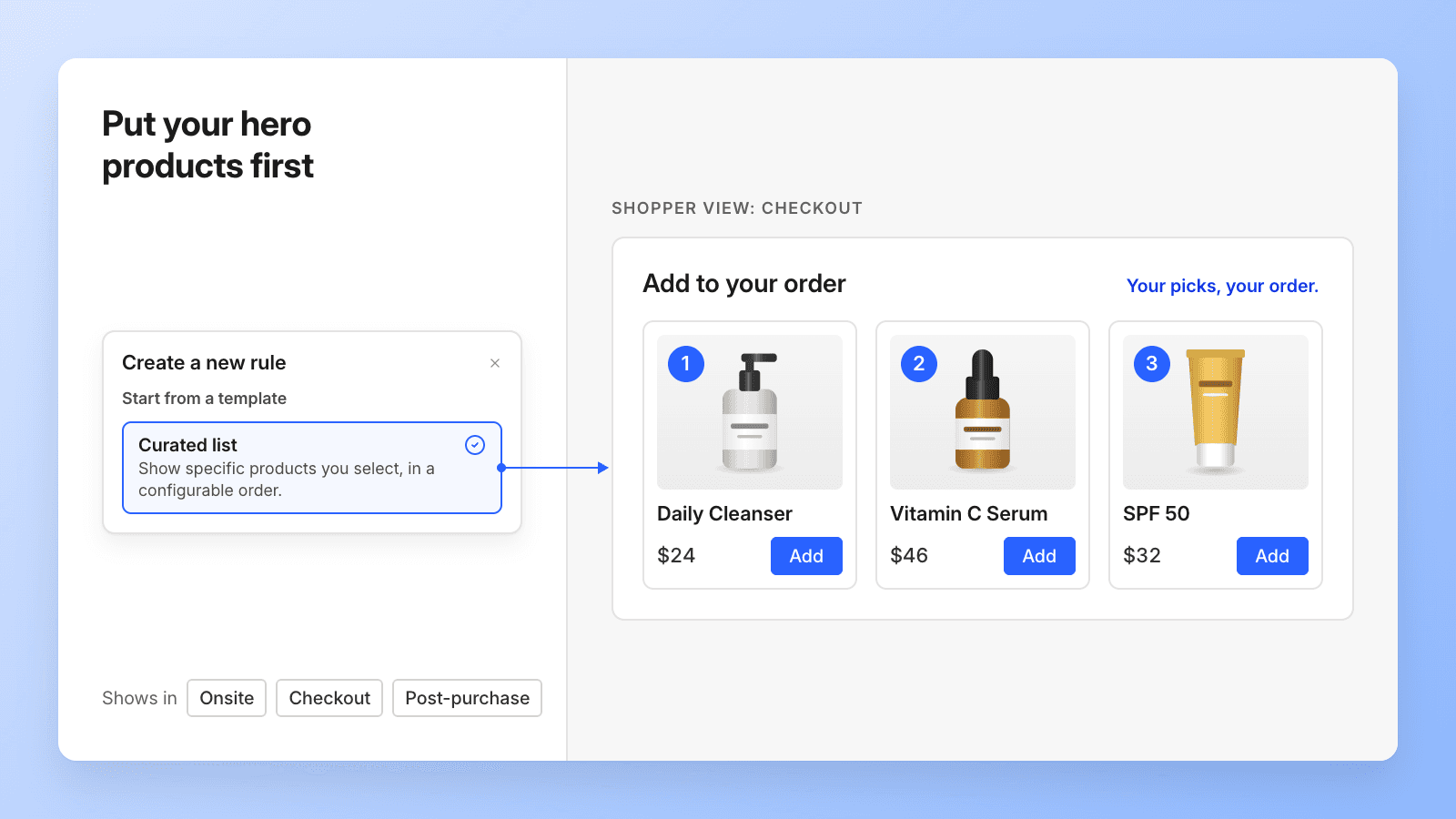
Some upsells shouldn't be clever. Say a skincare brand sells 30 products, but its cleanser, vitamin C serum, and SPF drive most of its revenue. A curated list puts those three in front of every shopper at checkout, in that order. If one is already in the cart, the upsell shows the other two.
A curated list is also the cleanest control for a test. Run it against Shopify recommendations in the same checkout upsell, and see whether they beat your own picks on profit per visitor.
4. Sell the accessories that go with your hero product at checkout.
Works in: Onsite · Checkout · Post-purchase
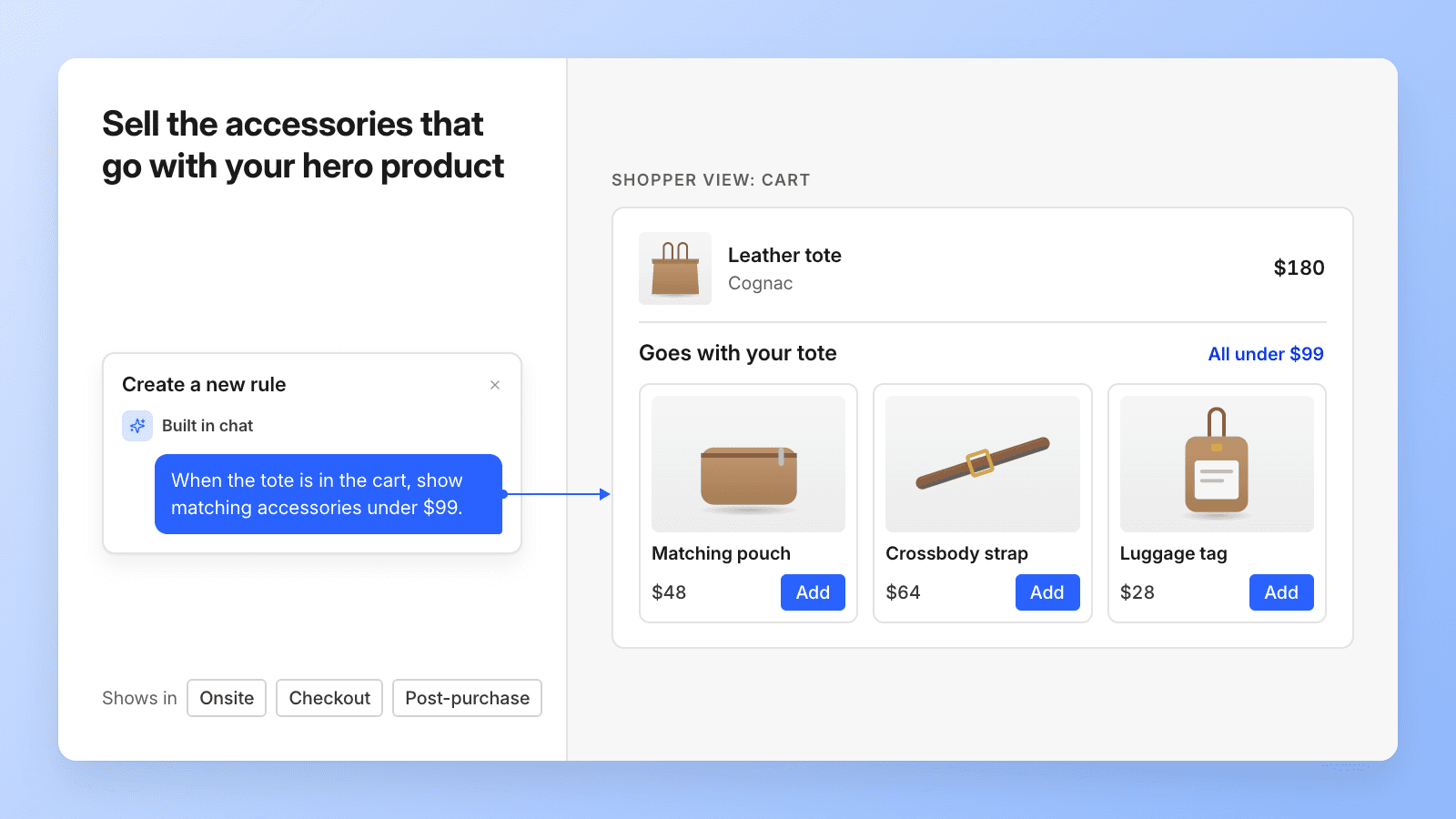
Some brands sell one product that most orders center on. Say a bag brand's best seller is a $180 tote. Once it's in the cart, the upsell should show what goes with it, like a matching pouch, a crossbody strap, or a luggage tag.
A rule can check whether the tote is in the cart and, if it is, recommend best-selling accessories under $99 that are in stock and not already in the cart. The rule picks them by sales and stock, so the set stays current through BFCM without anyone having to update it.
Copy this prompt:
If [your hero product] is in the cart, recommend up to 4 best-selling accessories under [$99] that are in stock and not already in the cart. If it isn't in the cart, show best sellers.
5. Finish the outfit at checkout.
Works in: Onsite · Checkout · Post-purchase
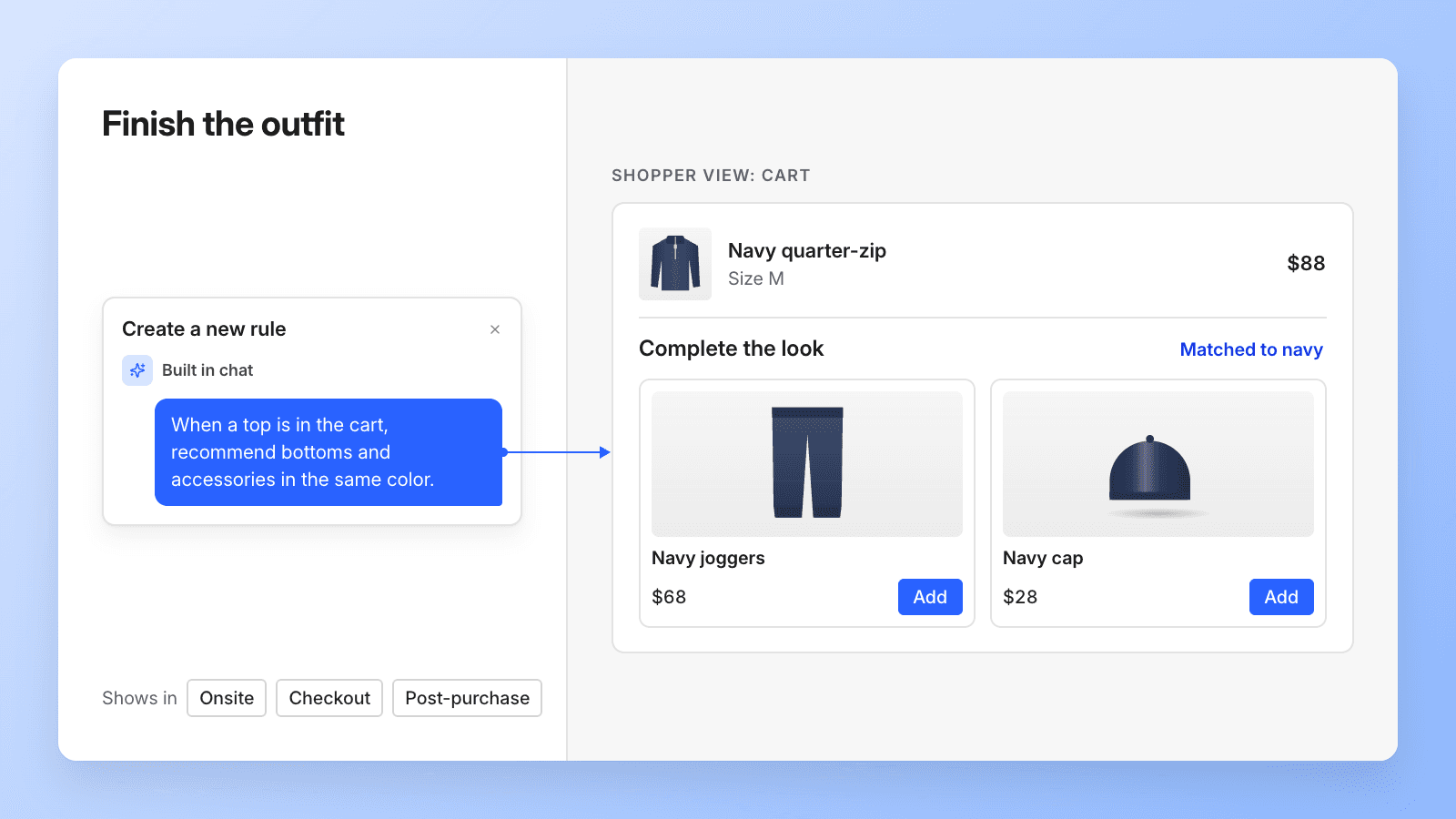
A rule can recommend products from a different category in the same color as what's in the cart. A shopper who adds a navy quarter-zip sees navy joggers and a navy cap.
With IF/THEN rules, every product needed its own rule. Now one rule handles the whole catalog, including next season’s styles. For the best matches, label color the same way across your catalog, whether that’s a tag, a variant option, or a metafield.
Copy this prompt:
Recommend products from a different category than what's in the cart, in the same color as the cart items. Show best sellers first, skip anything out of stock, and never show products already in the cart.
6. Recommend the right size and style on the PDP.
Works in: Onsite · Checkout · Post-purchase

Say a swimwear brand sells women's, men's, and kids' styles. A shopper with a women's medium swim top in the cart sees women's bottoms and cover-ups in medium. Men's and kids' styles stay out of the upsell, and the system skips anything sold out in medium.
Rules can match the size the shopper already picked and keep recommendations within the right gender, age group, or product line. Doing this with IF/THEN rules meant tracking sizes and boundaries for every product, which was hard to keep up across a large catalog. It matters even more during BFCM, when popular sizes sell out fast. A rule like this skips sold-out sizes, so the upsell slot only shows products the shopper can actually buy.
Copy this prompt:
Only recommend products for the same gender and age group as what's in the cart, using the [Women's], [Men's], and [Kids'] collections. Recommend them in the same size as the cart items, skip any size that's out of stock, and never show products already in the cart. If nothing matches, show best sellers.
7. Let your tags do the matching in your cart.
Works in: Onsite · Checkout · Post-purchase
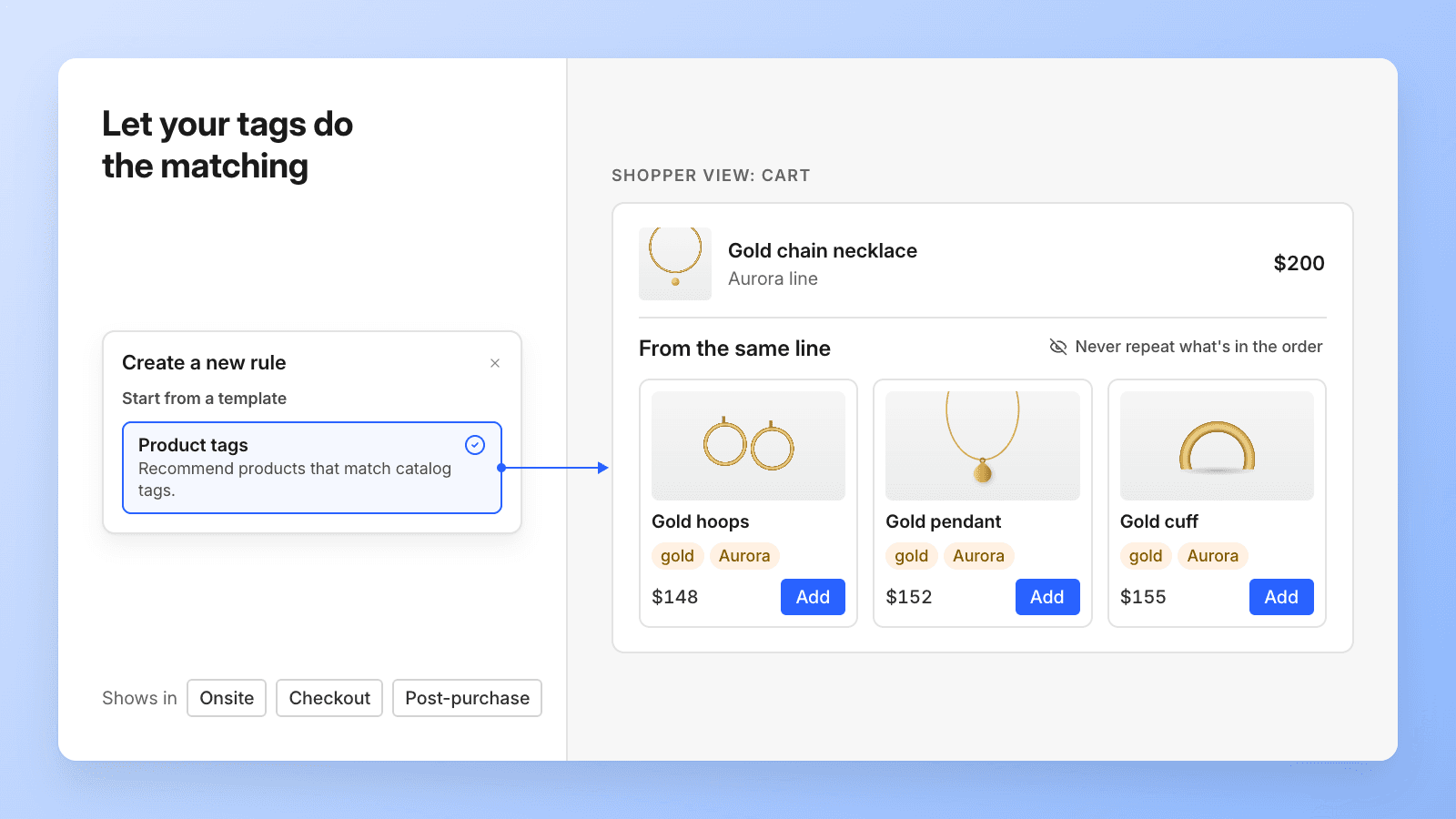
If your catalog is already tagged by material, occasion, or line, a rule can use those tags to find matching products.
One jewelry brand tags its products by metal and collection, and uses those tags to match upsells to what’s in the cart. When a shopper adds a $200 gold necklace, the upsell shows other gold pieces from the same collection, priced around $150. The rule skips anything already in the cart and anything with fewer than 5 units left in stock.
Try it with the built-in template: Recommend products that share a tag with what's in the cart, never repeat what's in the order, and hide anything low on stock.
8. Recommend from the collection that fits the moment in your cart.
Works in: Onsite · Checkout · Post-purchase
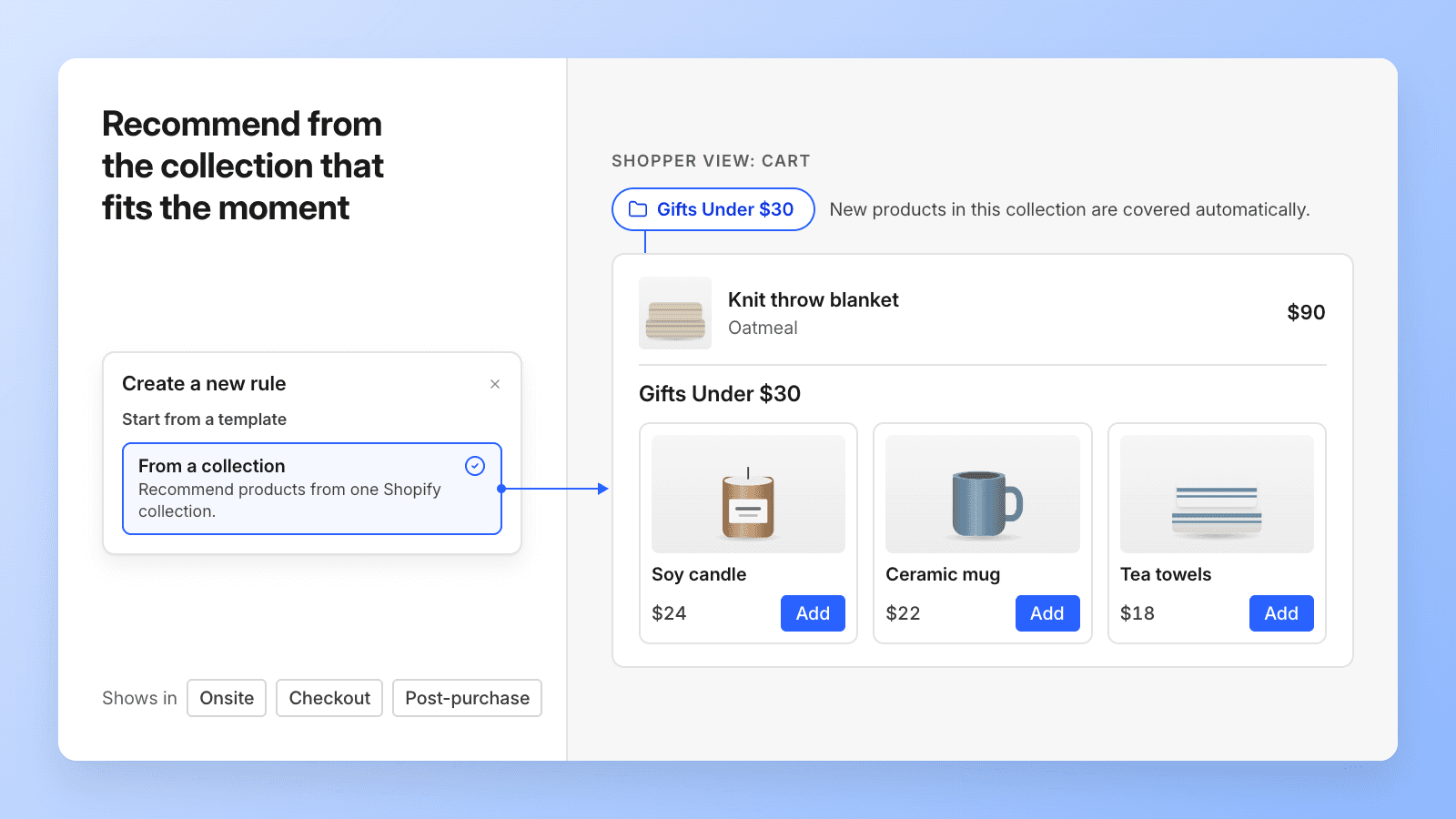
Point a rule at one Shopify collection and let it pull from there. New products you add to that collection are covered automatically, which matters most for large catalogs that change every season.
Say a home goods brand builds a Gifts Under $30 collection for BFCM, with candles, mugs, and tea towels. A shopper who adds a $90 throw blanket to the cart sees three stocking stuffers from that collection in the upsell. When the team adds new gift items in November, the upsell picks them up without a new rule.
Try it with the built-in template: Recommend products from the Gifts Under $30 collection, starting with best sellers.
9. Never leave an upsell slot empty.
Works in: Onsite · Checkout · Post-purchase
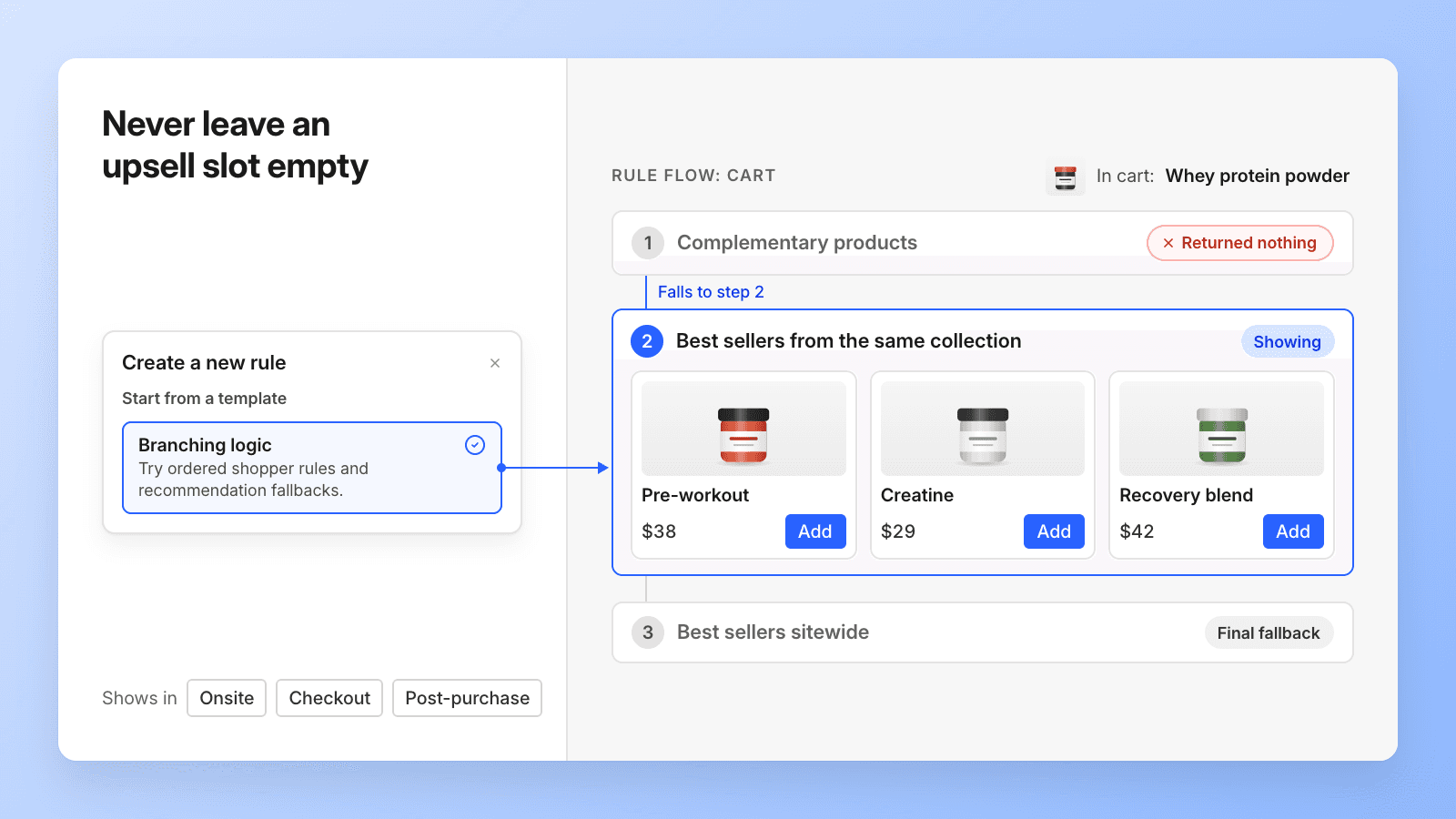
A rule can try one approach, and if it comes up empty, move to the next. Say a supplements brand wants to recommend products that pair with what's in the cart. If nothing pairs with a shopper's protein powder, the rule shows best sellers from the same collection. If those are out of stock, it falls back to sitewide best sellers.
Try it with the built-in template: Recommend complementary products for what's in the cart. If there are none, show best sellers from the same collection. If there are still none, show best sellers from the whole store.
10. Show your best customers something different at checkout.
Works in: Onsite · Checkout · Post-purchase
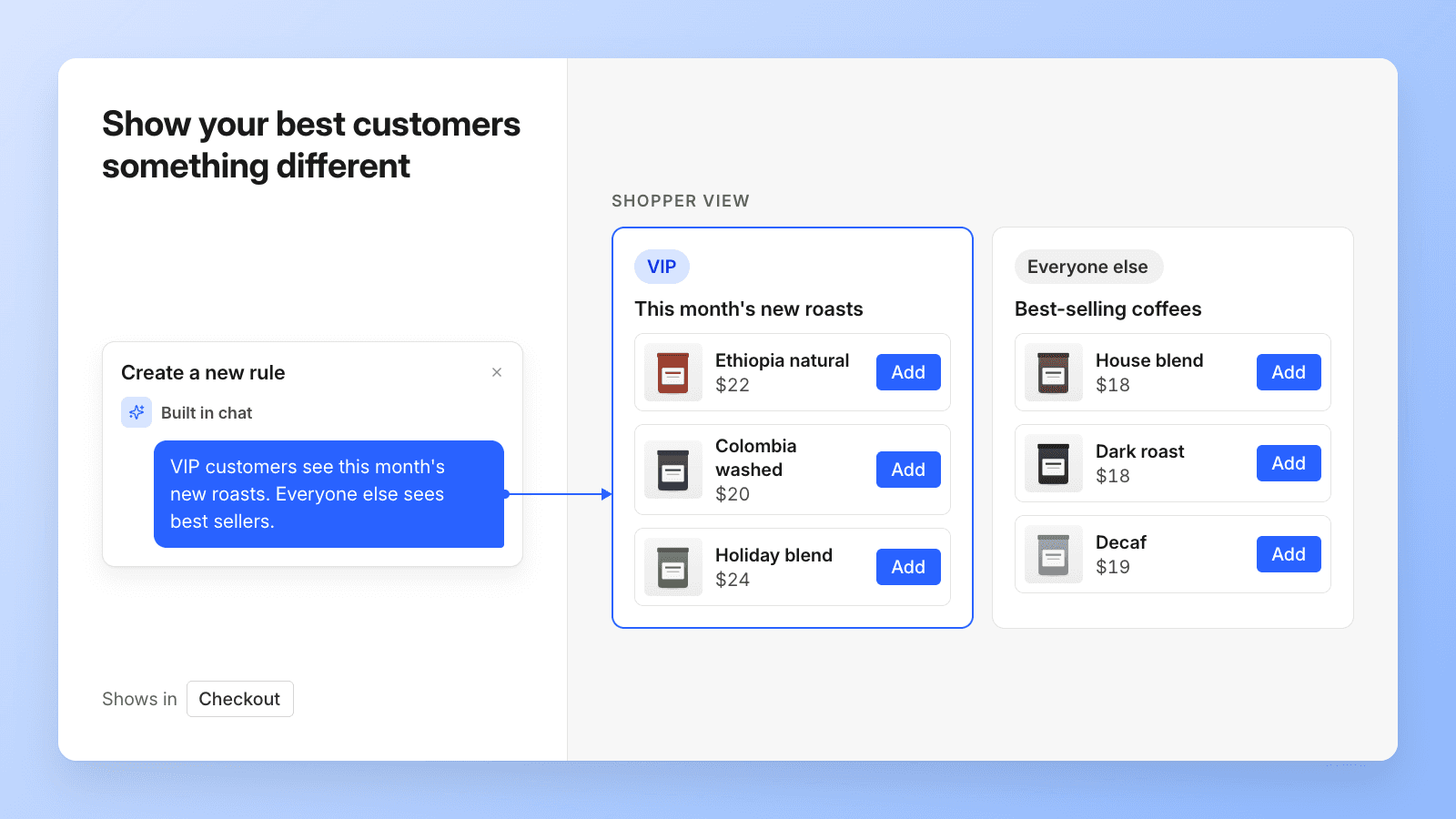
Rules can read tags, order count, and total spent for logged-in shoppers at checkout.
Picture a coffee roaster that tags its regulars VIP. When a VIP logs in, or anyone who has spent over $500, they see this month’s new roasts, like the limited single-origin or the holiday blend that just dropped. Everyone else gets the best sellers, the easy first bag to try.
Copy this prompt:
If the customer is tagged [VIP] or has spent over [$500], recommend our newest products. Everyone else sees best sellers. Never show products already in the cart.
11. Test Shopify's recommendations against your own rules.
Works in: Onsite · Checkout · Post-purchase
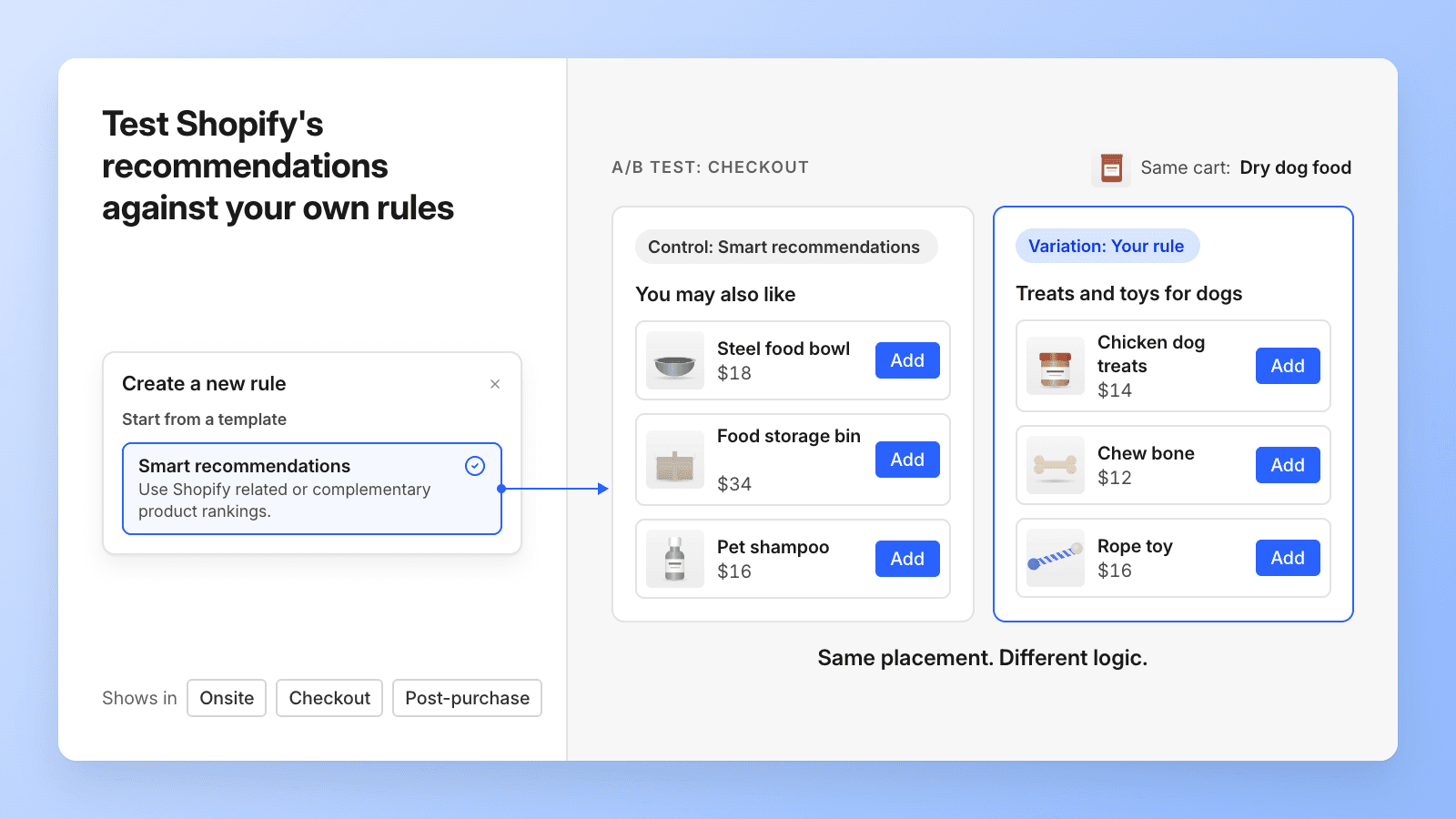
Shopify's related and complementary product rankings are the default behind most upsells. This template makes them an ordinary rule, which means you can use them as the control arm of a test.
Say a pet supplies store has 2,000 products and has been using Shopify's recommendations. It can run Smart recommendations against a rule it built, like "recommend treats and toys for the same pet type as what's in the cart," in the same placement, and see which one earns more profit per visitor. It's a useful first test for any large catalog, where it's hard to know whether a hand-built rule beats the default.
Try it with the built-in template: Use Shopify's complementary products, then fall back to related products if there are none.
Build smarter, faster upsells with Product Recommendation Rules
Recommendation logic used to mean building one IF/THEN rule at a time, then going back to fix them every time a product sold out or a new collection dropped. With Product Recommendation Rules, you describe the logic once, assign it to onsite, checkout, or post-purchase upsells, and can test it like anything else in Intelligems.
Available on the Smart Merchandising, Smart Checkout & Post-Purchase, and Unlimited plans
Rules power onsite upsells on Smart Merchandising, and checkout and post-purchase upsells on Smart Checkout & Post-Purchase. Unlimited includes both. Generally available October 19.
Product Updates
Product Updates
Product Updates