Checkout Testing
Should I Upsell at Checkout?
Should I add upsells at checkout? When checkout upsells help vs hurt your conversion rate.
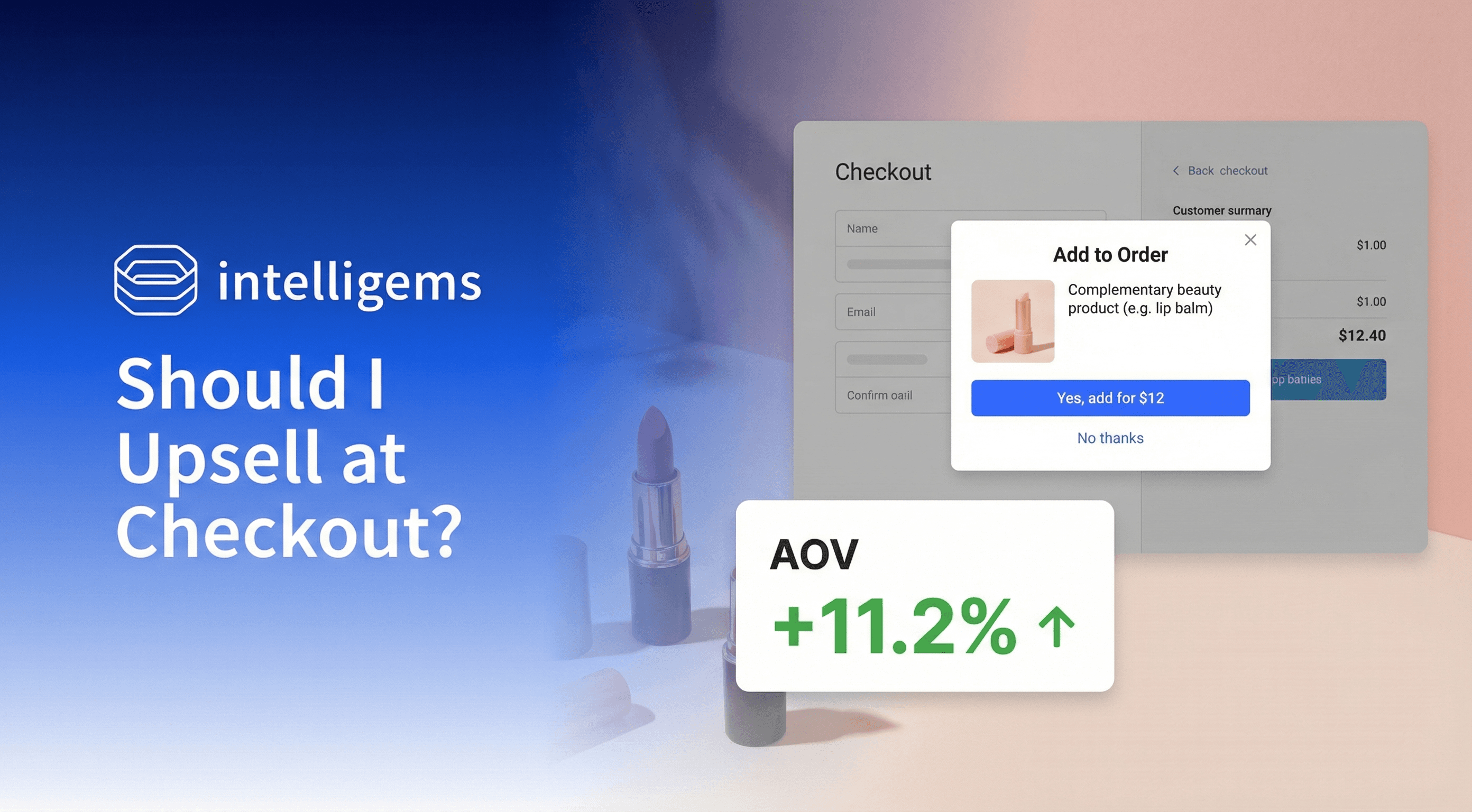
Your customer has made it to checkout. They've browsed, compared, decided. Their card is ready.
So naturally, you want to show them one more thing.
Upsells at checkout promise incremental revenue from customers who've already committed to buying. If someone's about to spend $80, maybe they'll spend $95 instead. The logic seems obvious.
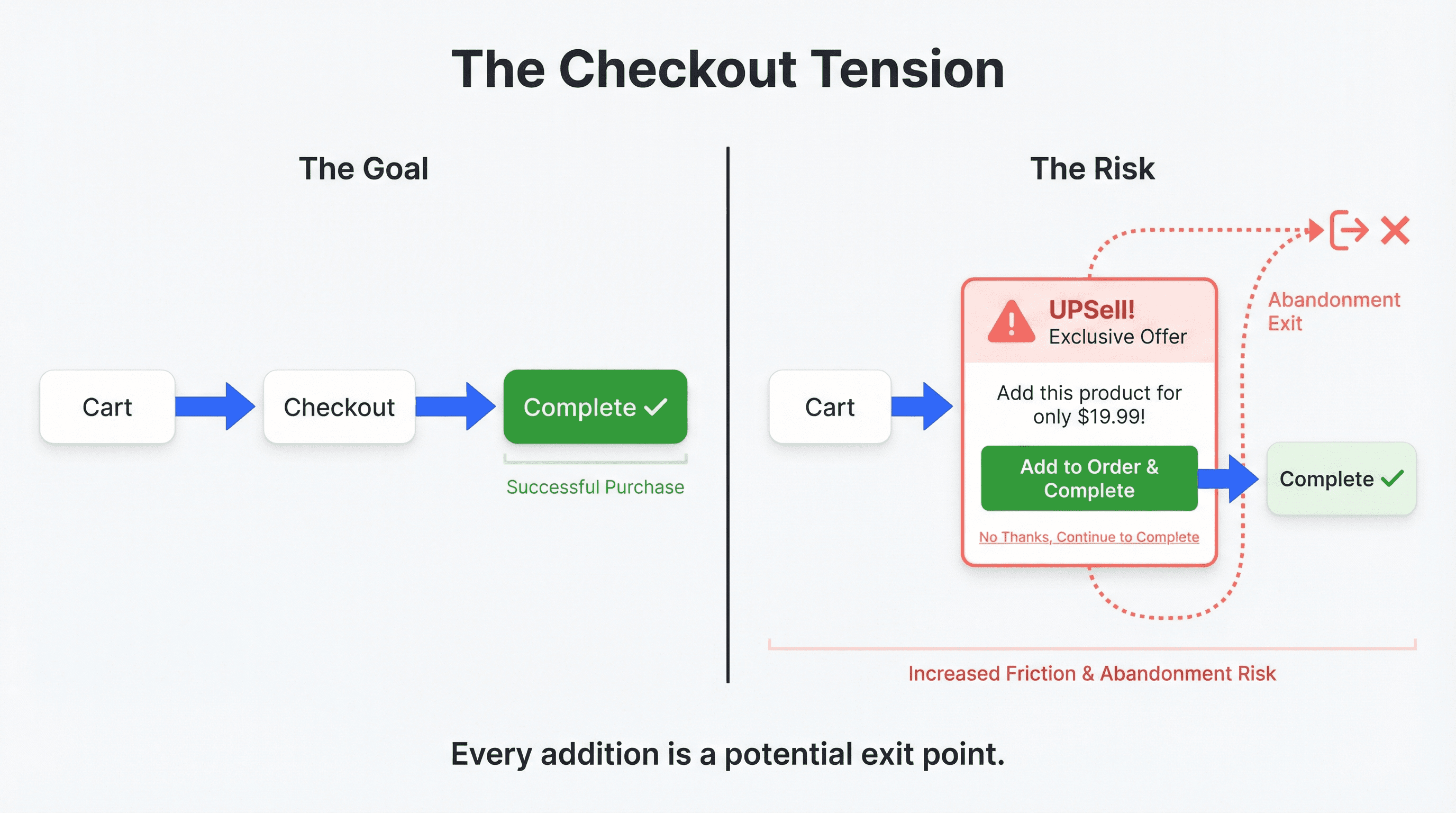
But there's a tension here that doesn't get talked about enough: your checkout has one job. Complete the purchase. Anything that distracts from that carries risk.
The question isn't just "should I add an upsell?" It's "will this help my customers... or just help my AOV dashboard?"
Checkout Is Different
Checkout is different from every other page on your store. Customers aren't browsing. They're finishing. They've already made their decision. They want to complete what they started.
An upsell at this moment can feel like:
A last-minute pitch when they thought they were done
An interruption to a process they want to finish
Friction where there should be none
Some customers will add the upsell. Others will pause, reconsider, and abandon entirely. The net effect depends on which group is larger.
This isn't theoretical. Poorly implemented upsells can increase cart abandonment. They can make your checkout feel cluttered. They can erode the trust you've built throughout the shopping experience.
When It Works
None of this means checkout upsells are a bad idea. It means they're a specific tool that works in specific situations.
The best upsells share one characteristic: they feel helpful, not salesy. They suggest something the customer would genuinely want given what they're already buying.
Think about the difference:
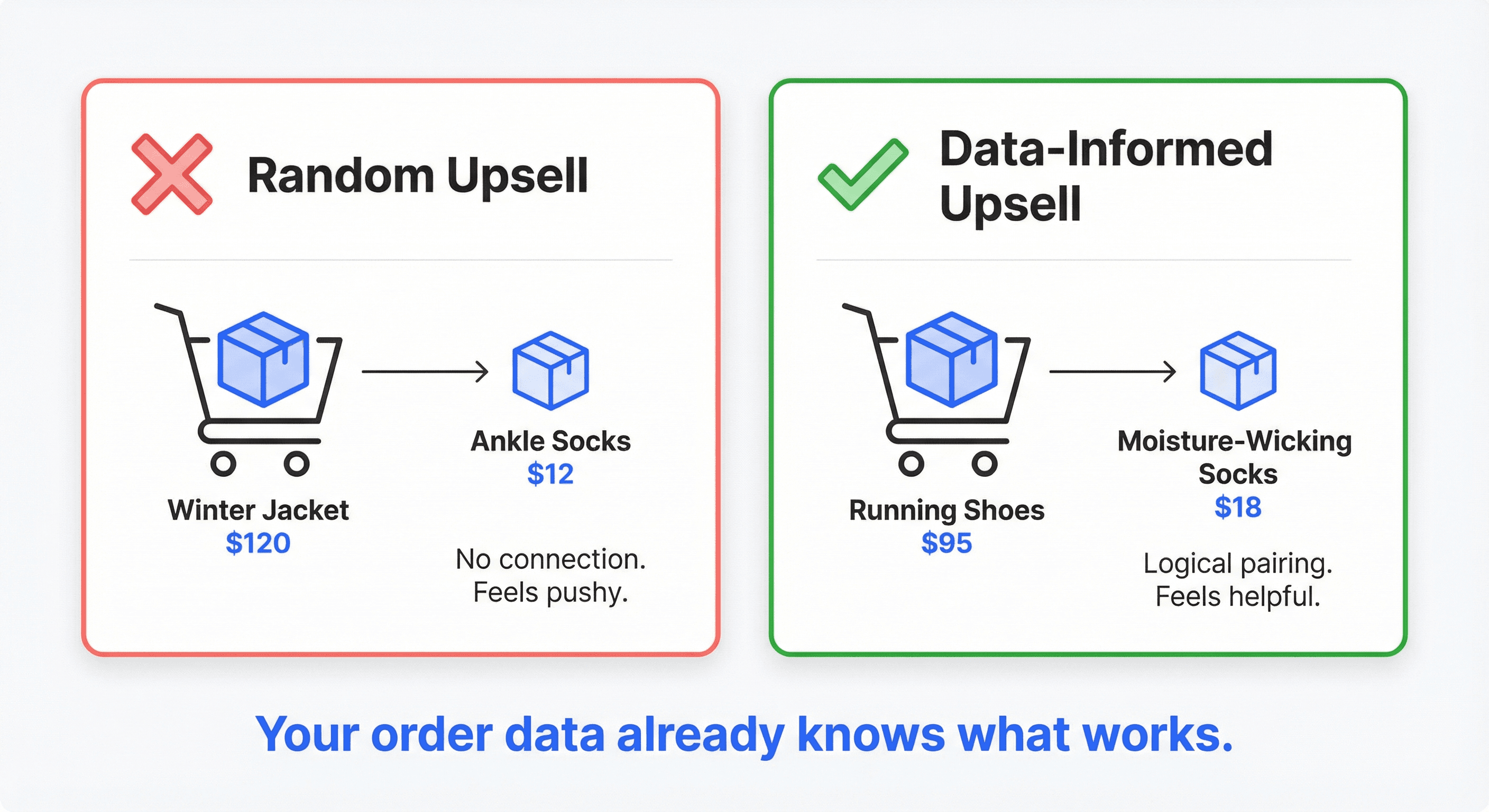
Random upsell: "You're buying a jacket. Want some socks?"
Data-informed upsell: "You're buying running shoes. Most runners also grab these moisture-wicking socks."
The first feels like a retailer trying to squeeze extra revenue. The second feels like a helpful suggestion based on what similar customers actually do.
Your Data Already Knows
Before building any upsell, look at what your customers are already buying together. Your order history contains patterns—and Shopify makes them easy to find.
In your Shopify admin, go to Analytics → Reports and search for "Items bought together." This native report shows which products frequently appear in the same order, answering questions like:
Which products frequently appear in the same cart?
Which accessories naturally complement your hero products?
These aren't upsells you're inventing. They're upsells you're discovering. Your customers have already validated them with their behavior.
If you can't find clear patterns, try a different approach: open the "Total sales by product" report and sort by units sold. Your top 10-20 bestsellers make safe upsell candidates—they're already proven sellers.
And if neither approach reveals obvious candidates... that's information too. It might mean your product mix doesn't naturally lend itself to checkout upsells. Better to know that before building something customers don't want.
Signals That Suggest Yes
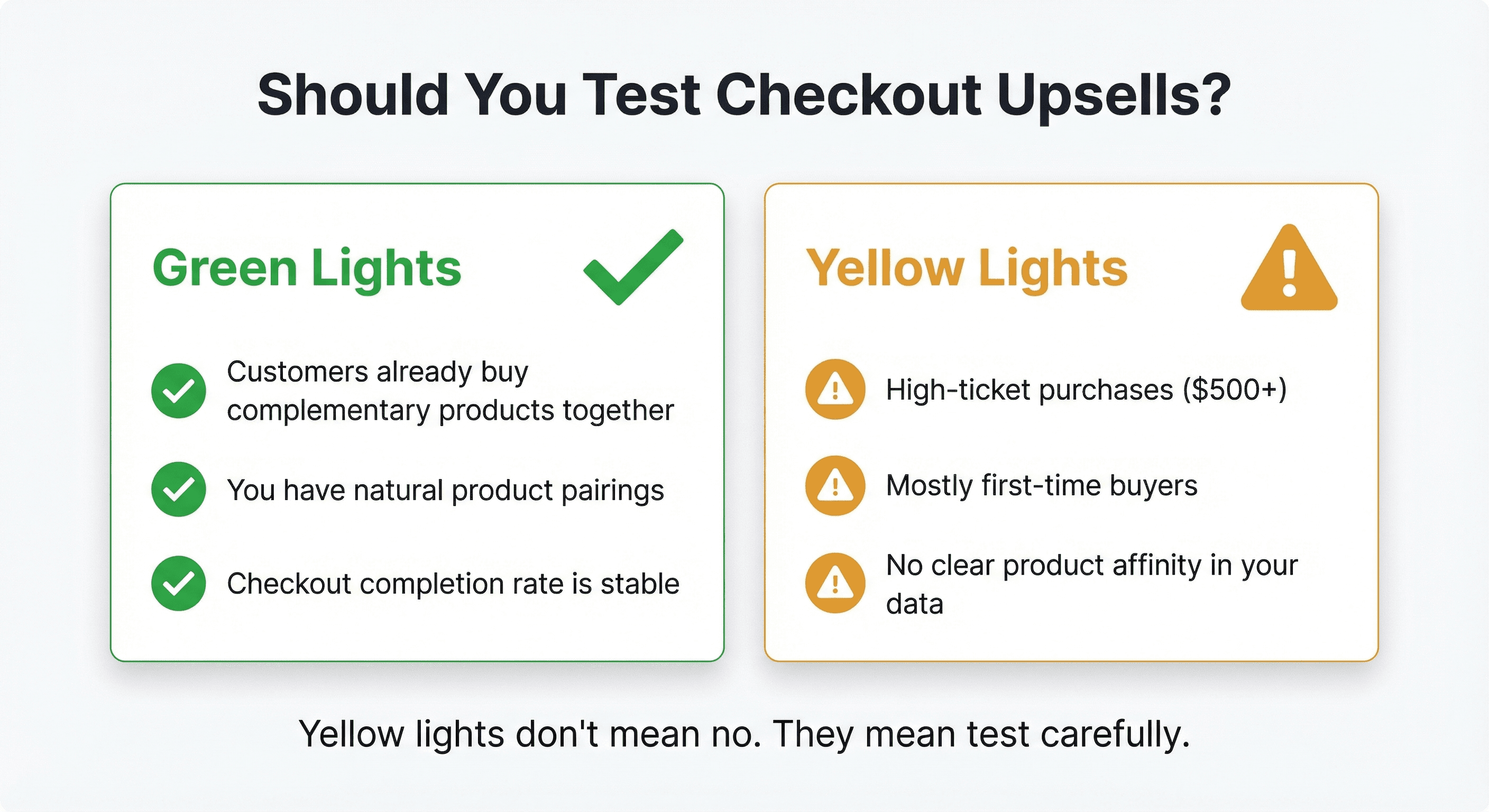
Strong signal: Customers already buy complementary products together. You're just making it easier by surfacing that option at checkout.
Decent signal: You have accessories that feel like natural companions, but you haven't validated whether customers actually want them bundled.
Signals That Suggest Caution
High-ticket purchases: When someone's buying a $500 item, they've deliberated carefully. Adding friction carries higher stakes.
First-time buyers: New customers are still building trust. An upsell can feel off-putting before you've earned the relationship.
No clear product affinity: If your products don't have natural complements, upsells will feel random... because they are.
The Right Tool Makes Testing Easier
Until recently, testing checkout upsells meant custom development or clunky workarounds. Most brands either shipped an upsell without testing or skipped it entirely because implementation was too heavy.
That's changing. Intelligems now offers a Product Upsell block for checkout that lets you launch and test upsells without touching code. You can go from idea to live test in minutes, not weeks. For setup details, check the checkout personalizations library.
This matters because the only way to know if upsells work for YOUR customers is to test. And the easier testing becomes, the more likely you'll actually do it.
Discover what actually converts in checkout and why the conventional wisdom about upsells often misses the mark.
What to Test
There's no one-size-fits-all upsell strategy. But there are specific questions you can answer with testing:
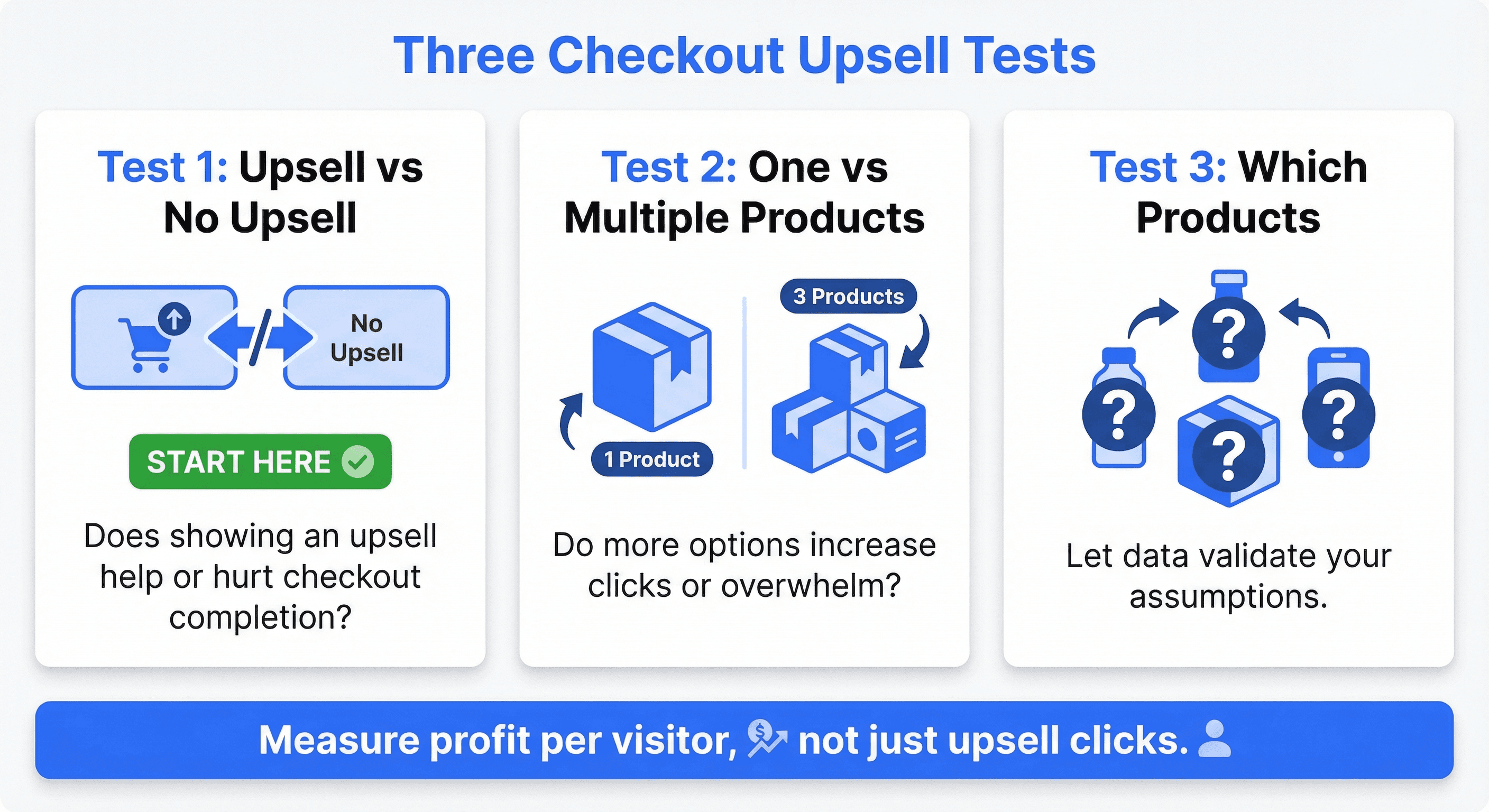
Test 1: Upsell vs. No Upsell
Does showing an upsell at checkout help or hurt? Measure both upsell revenue AND checkout completion rate. If abandonment spikes, you have your answer. Start here before optimizing anything else.
Test 2: One Product vs. Multiple Products
Does showing 3 options increase clicks, or does it overwhelm? Some customers want choices. Others want a clear recommendation. Your data will tell you which group is larger.
Test 3: Which Products to Show
Not all products make good upsells. Test your assumptions. The product you think will convert might underperform compared to something unexpected.
How to find candidates in Shopify:
Go to Analytics → Reports and search for "Items bought together" to see which products customers already purchase in the same order
If no clear patterns emerge, use the "Total sales by product" report, sort by units sold, and pick from your top 10-20 bestsellers—they're popular for a reason
Let the test validate which candidates actually convert.
Start Small
If you decide to test:
One product first. Don't overwhelm checkout with multiple offers until you know upsells work at all.
Check your Shopify reports first. Search for "Items bought together" in Analytics → Reports, or pick from your top-selling products if no patterns emerge.
Make it feel helpful. "Customers also grab..." rather than "Before you go..."
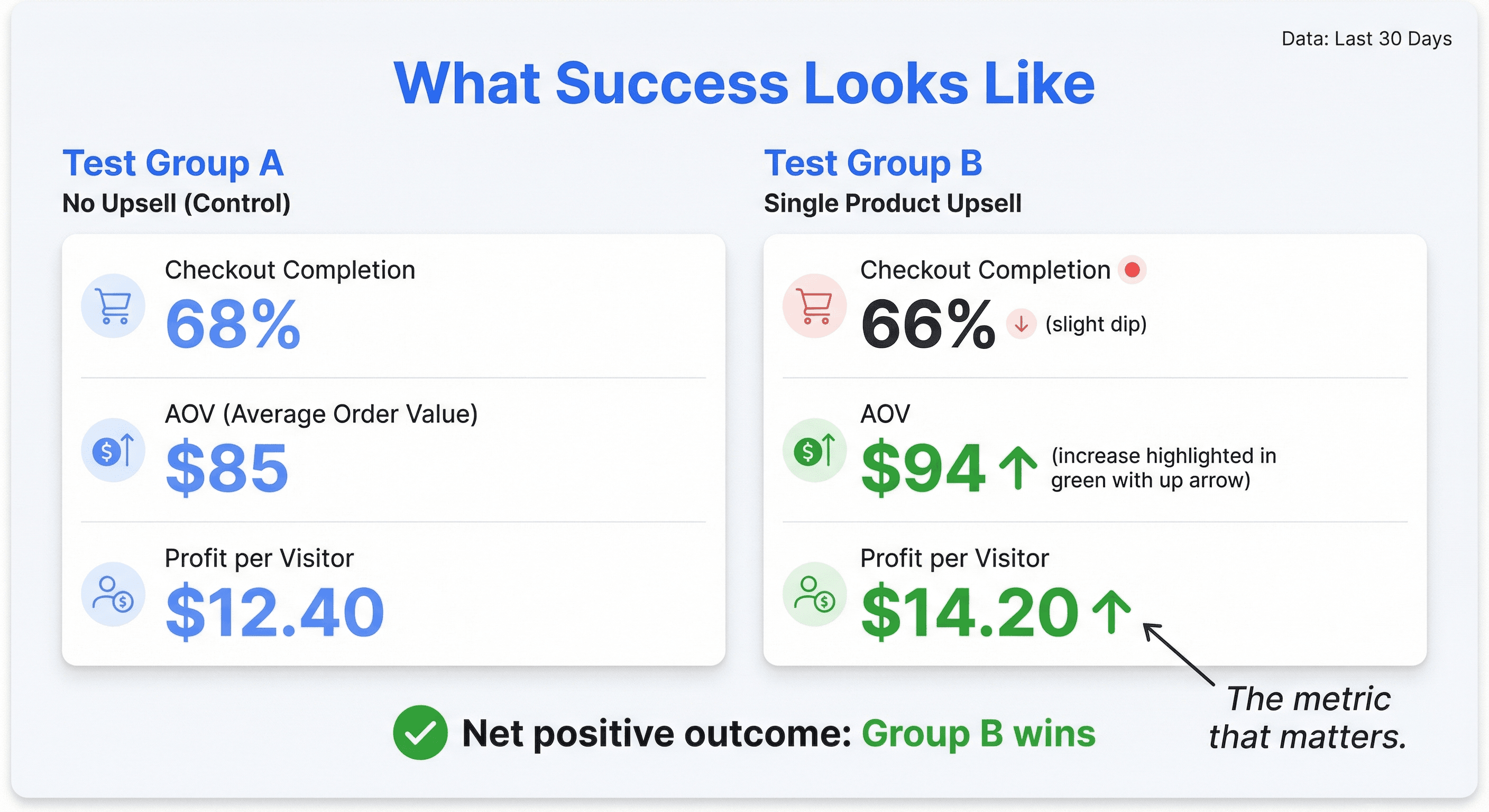
Watch abandonment. If checkout completion drops, something's wrong.
The goal isn't to maximize upsell clicks. The goal is to increase profit per visitor while protecting the checkout personalization you've built.
Stop Guessing. Start Knowing.
Look at your purchase data first. Find what customers already buy together.
If patterns exist, test surfacing them at checkout.
Measure both upsell conversion AND checkout completion.
Watch profit per visitor, not just AOV.
Don't guess whether upsells will help your checkout. Know.
Ready to test what actually drives profit at checkout? Try the new Product Upsell block in Intelligems.
Ecommerce Strategy
Content Testing
Analytics