
AB Testing
Can a Testing Tool Hurt My Page Speed?
That Lighthouse flag on your testing tool is probably less alarming than it looks. Here's what's actually worth fixing.

Carlos Trujillo
The real-world impact of a testing tool on your site is typically much smaller than audit scores suggest — and for most stores, the bigger performance culprits are elsewhere entirely. But even when there is an impact, what testing enables almost always outweighs the overhead. Here's the full picture.
What Speed Audits Are Actually Measuring
Google Lighthouse, PageSpeed Insights, and most tools derived from them simulate a throttled mobile connection for their lab scores. That's the baseline, regardless of where you're running the audit. Under those conditions, almost every app on your Shopify store will show up as a contributor to slowdowns.
What merchants often see: 4,000-5,000ms blocking times attributed to the Intelligems script. What that typically means in real-world performance: a modest render addition on a synthetic slow connection. In practice, for visitors on typical mobile and desktop connections, the actual footprint is much smaller. One brand's audit found Intelligems adding ~400ms to render on a simulated slow connection, while their site's baseline TBT (Total Blocking Time) was over 20 seconds without Intelligems at all.
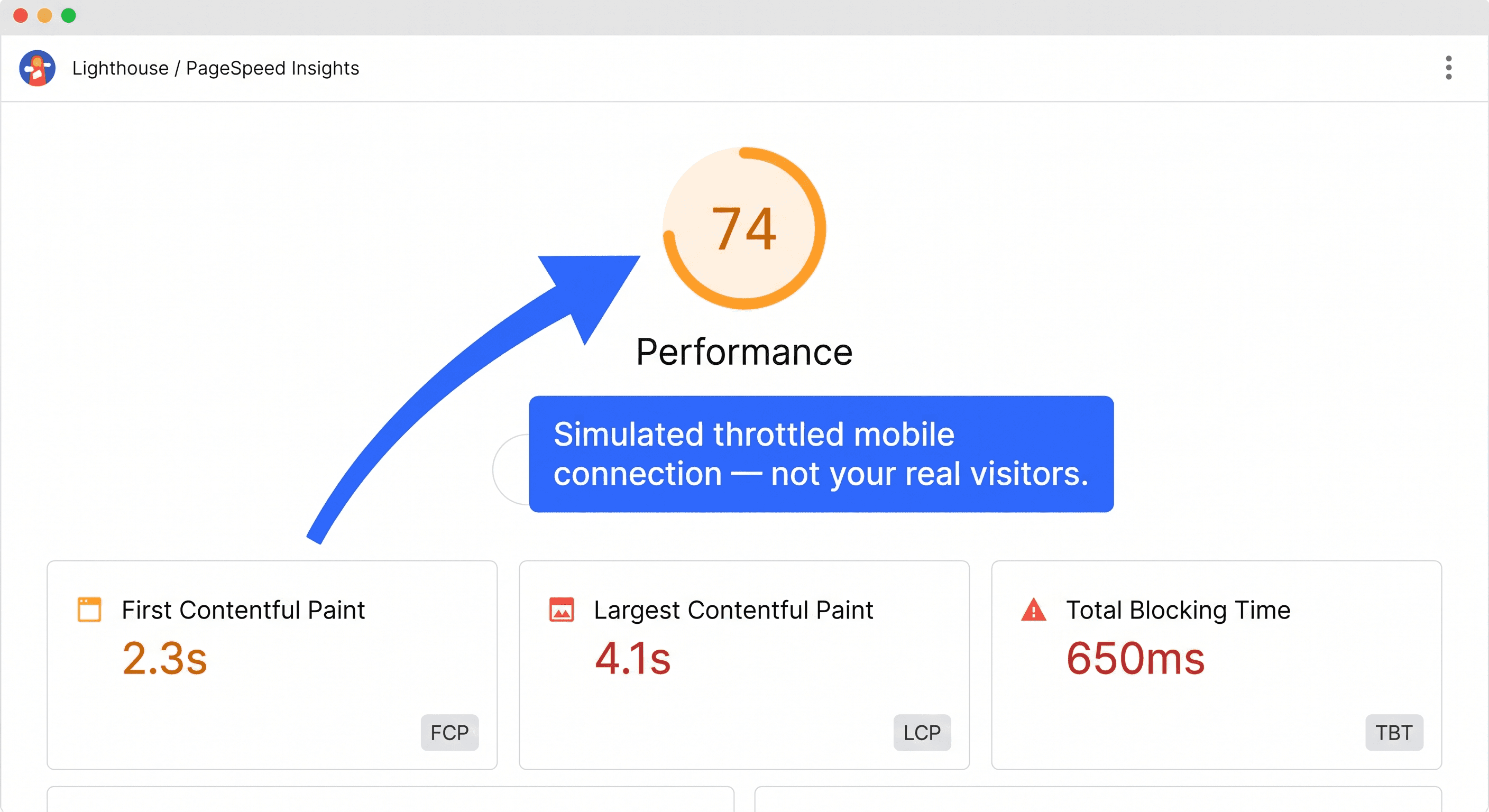
That doesn't mean page speed is irrelevant. It means a synthetic audit score isn't the number to focus on. For a more accurate read, WebPageTest or Chrome DevTools with the Intelligems script blocked versus present gives you a real-world comparison. Not a simulated one.
But even if the numbers were perfectly accurate, there's a more useful question to ask before making any changes.
Is the Performance Cost Worth It?
Page speed does affect revenue. That part is real. Industry research consistently shows that as load time increases from 1 to 3 seconds, the probability of a visitor bouncing increases by 32%. Each additional second of load time during checkout can reduce conversion rates by up to 17%. A 1-2 second delay can cost 4-5% of revenue per visitor.
So yes, milliseconds matter. That's not in dispute.
The question is whether a testing tool's overhead meaningfully moves those numbers, and whether what testing enables is worth any cost it carries. The fastest possible Shopify store is one with nothing on it. No reviews, no loyalty program, no live chat, no analytics. Every tool you install adds some technical weight. That's the nature of building on a platform.
It's whether what that app enables is worth the technical cost. A review app adds a few kilobytes and a render call. In exchange, you get social proof that converts skeptical visitors. A loyalty program adds scripts. In exchange, you get repeat purchase behavior. The math usually works out.
A/B testing is no different. Intelligems adds some overhead. In exchange, you get the ability to run experiments that directly improve your profit per visitor. Decisions that compound over time in ways a PageSpeed score never will. A single winning price or shipping test can recover multiples of whatever marginal speed cost the script carries.
A faster Lighthouse score that comes at the cost of making worse business decisions isn't actually an improvement. Before pulling a script, it's worth asking what you'd be giving up.
With that framing in place, here's what the overhead actually looks like.
How the Intelligems Script Is Built
The Intelligems script runs on ESM (ECMAScript Modules), a format browsers support natively, with async loading by default. That means the browser keeps rendering your page while the script fetches — it's non-blocking by design, not as a configuration option.
The script is also delivered from a Cloudflare Workers edge network, which routes each request to the infrastructure node closest to the visitor. For stores with international traffic, that's a real latency difference compared to tools served from a centralized server. If you're still on the older CommonJS script format, updating to ESM is worth doing.
Flicker or Speed: A Configuration Choice
Here's where real performance impact can happen, and it's a configuration choice worth understanding.
For certain test types... particularly split URL and template tests... there can be a brief flash of the original content before the variant loads. Some brands address this by adding blocking="render" to the Intelligems script tag. This prevents the browser from painting anything until Intelligems finishes loading, which eliminates flicker but does increase FCP (First Contentful Paint) and LCP (Largest Contentful Paint) scores.
This is a deliberate trade-off, not a bug. The default script does not include blocking="render". If it's present on your install and page speed is a concern, removing it will reduce the performance impact. Visitors may occasionally see a brief flash on redirect tests, but the speed gains are typically significant.
If you want to eliminate flicker without the blocking penalty, our support team is happy to help you find the right configuration for your specific setup. There are alternative anti-flicker modes worth exploring, and they can walk you through what fits best. Get in touch here.
What's Actually Slowing Your Site Down
Even with a well-configured setup, page speed concerns can still come up. And when they do, there's one thing worth checking before anything else: whether the testing tool is actually the problem.
A pattern comes up consistently when we look at sites where page speed has become a concern. Removing Intelligems might improve the Lighthouse number, but it rarely solves the underlying performance issue.
The only wrong move is standing still. Page speed concerns are worth solving, not a reason to stop testing.
It's worth looking at the full request waterfall first. Things that tend to have more impact than removing Intelligems on a typical Shopify store:
Dead scripts and GTM tags — by far the most common culprit. Scripts that were configured, are still firing, but are sending data nowhere because you stopped using that tool. Audit your Google Tag Manager container for tags attached to software you no longer use. It's free optimization that most stores haven't done.
Unoptimized images
Render-blocking fonts
Theme complexity from accumulated customizations
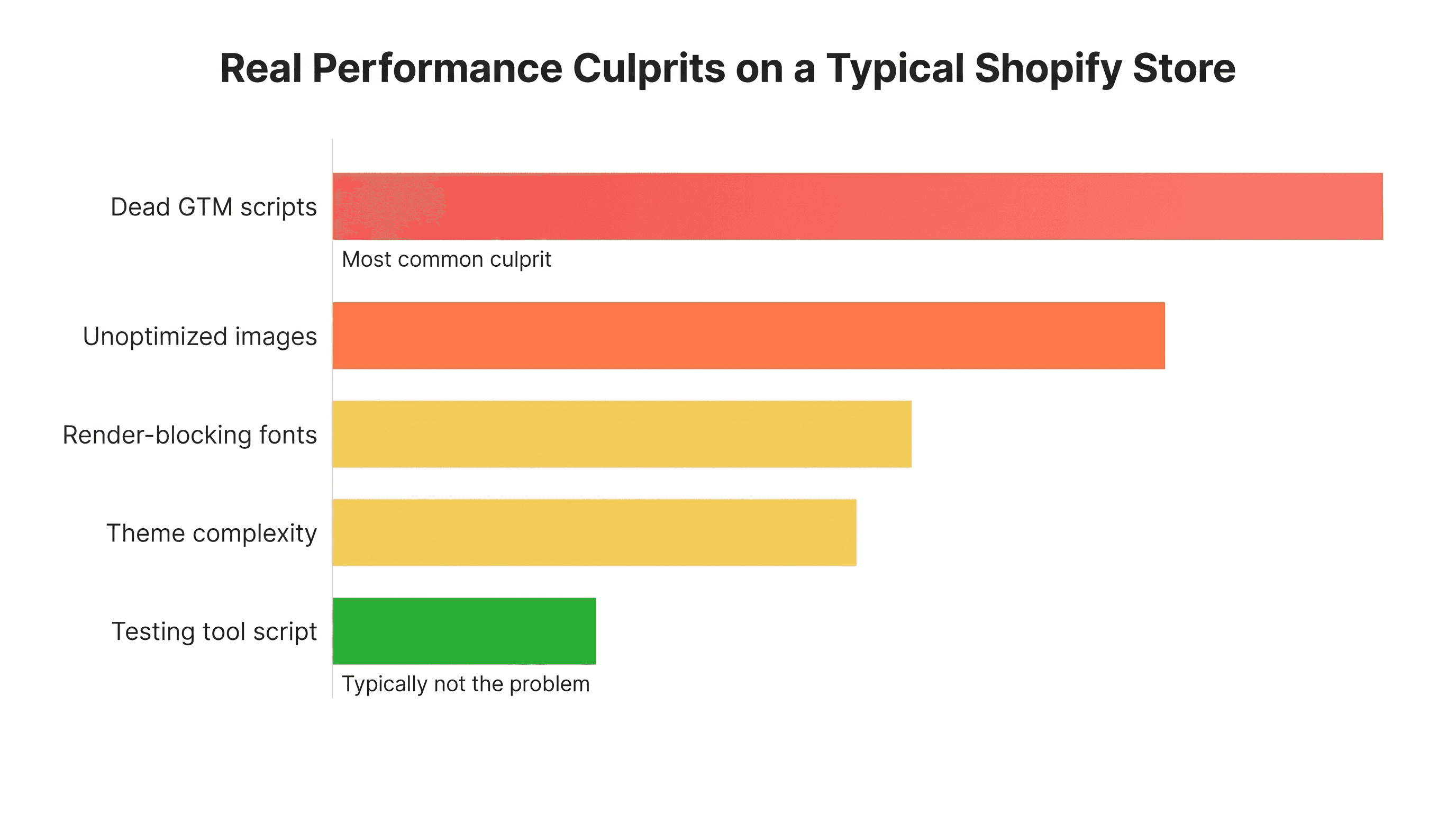
None of that is a critique. It's a reminder that speed issues are rarely caused by a single thing, and testing tools typically aren't the highest-leverage fix.
A Note for Nostra Users
Nostra.ai is an edge delivery network with an active integration with Intelligems. If your store uses Nostra, the two tools are designed to work together. The integration extends cookie duration for iOS visitors, which helps identify more users across test groups. That's meaningful for brands with heavy iOS traffic, where tracking limitations can cause test groups to appear smaller than they are.
If you're on Nostra and seeing performance questions, our support team can help with the specific configuration details for that setup. Reach out here.
Already on Intelligems? We'll Audit Your Setup
If you're an Intelligems customer and page speed has come up as a concern, our support team runs free performance audits. Not generic advice. A real look at your specific install, your tests, and what changes would actually help.
The performance docs are a good starting point. But if you'd rather have someone walk through it with you, request a free audit here.
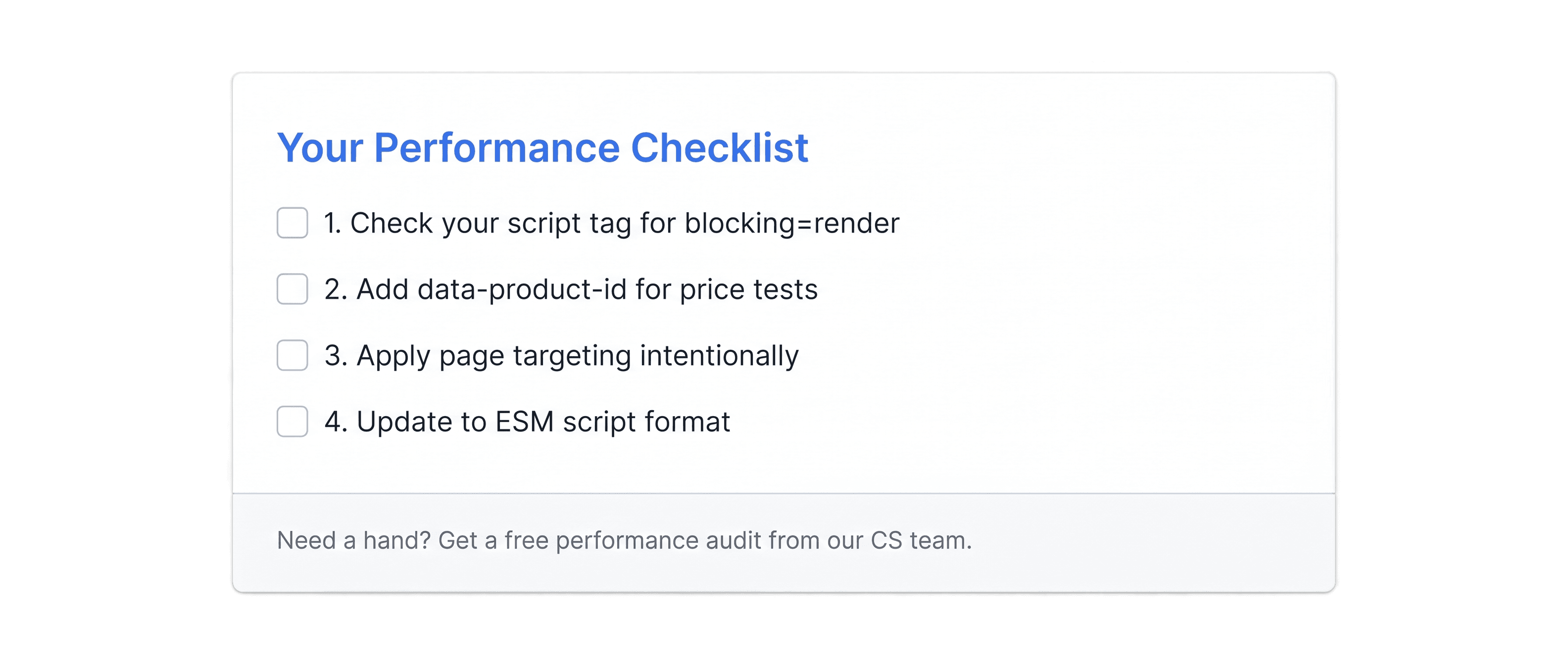
Your Performance Checklist
Start here before making any bigger changes.
Check whether
blocking="render"is in your script tag and whether it's necessary for your test typesIf you're running price tests, add
data-product-idanddata-variant-idattributes to product elements — this lets Intelligems find prices directly instead of searching the DOM (full guide)Apply page targeting intentionally rather than defaulting to sitewide
If you're on the older script format, update to ESM
Page speed matters. But so does what testing enables. Profit per visitor can be significantly influenced by running the right experiments accurately — and a well-configured Intelligems install keeps both in good shape. Neither has to come at the expense of the other.
Expert Guide
Ecommerce Strategy
Content Testing


