Product Updates
Introducing the AI Visual Builder by Intelligems
Describe any on-site change. AI builds it, brand-matched, in seconds.

Build any on-site change with a sentence

Describe a change and the AI builds it in your live preview, verified and brand-matched:
"Add a 20% off announcement bar above my header"
"Replace the hero with this video"
"Add a Best Value badge to the middle bundle"
"Change the CTA from black to brand orange"
Your Shopify catalog is already in context, so it knows your products before you start.
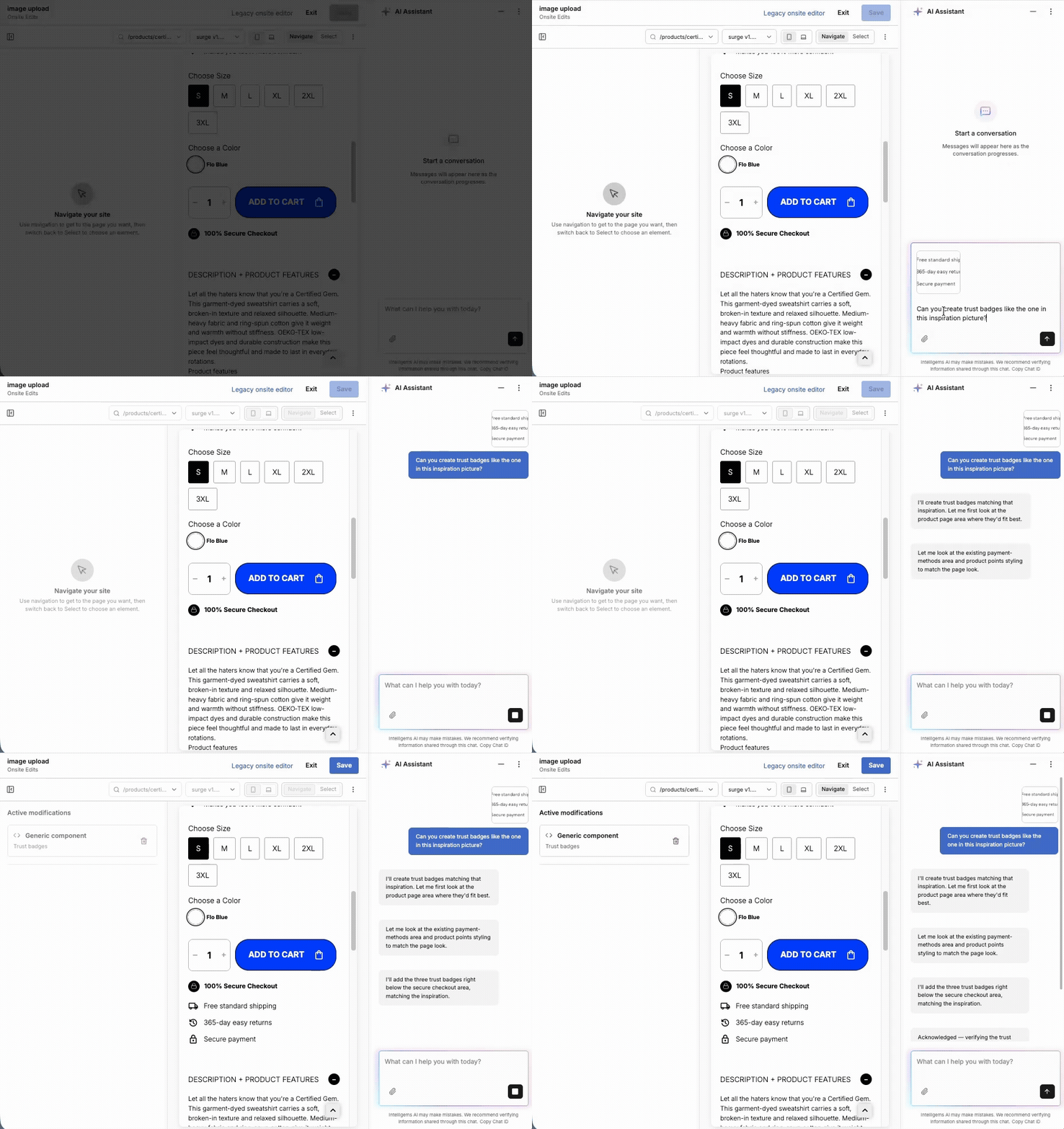
Upload an image, PDF, or doc
The chat accepts more than text. Drop in a product shot, PDF, doc, or inspo pic and our AI Visual Builder turns it into on-page content.
Test, personalize, and refine every mod
Every AI-built change shows up in the mod list. That means three things you can do here that other AI builders can't:
Test it. Run an A/B between AI-built mods and your control, with the same Intelligems testing flow you already use.
Personalize it. Show the mod to first-time visitors only, mobile only, or anyone you can target with Intelligems segments.
Refine it. Open any mod to re-prompt for a tweak, or open the HTML and edit it directly.
Ask the AI what to try next
Stuck or new to vibe coding? Ask the chat for ideas, not just build commands. Try "what should I test on this page?" or “what else should I do based on the last change we made?” and the AI takes it from there.
Available on all plans, starting today
AI in the Visual Builder is included on Core, Plus, and Blue plans for tests and personalizations, on every Shopify plan.
To get started:
Create an Onsite Edit test or Personalization
In Modifications tab, choose Visual Builder
Start building in the chat window
If you're an agency managing multiple brands, it's already live across all your client accounts.
What's next inside the Visual Builder: Intelligems-native components in chat, a brand settings UI, and prompt-to-launched-test. 👀
Product Updates
Product Updates
Analytics